 Discord
 Telegram
Verified buyers only
Only a confirmed buyer can leave a review
 Rob Run
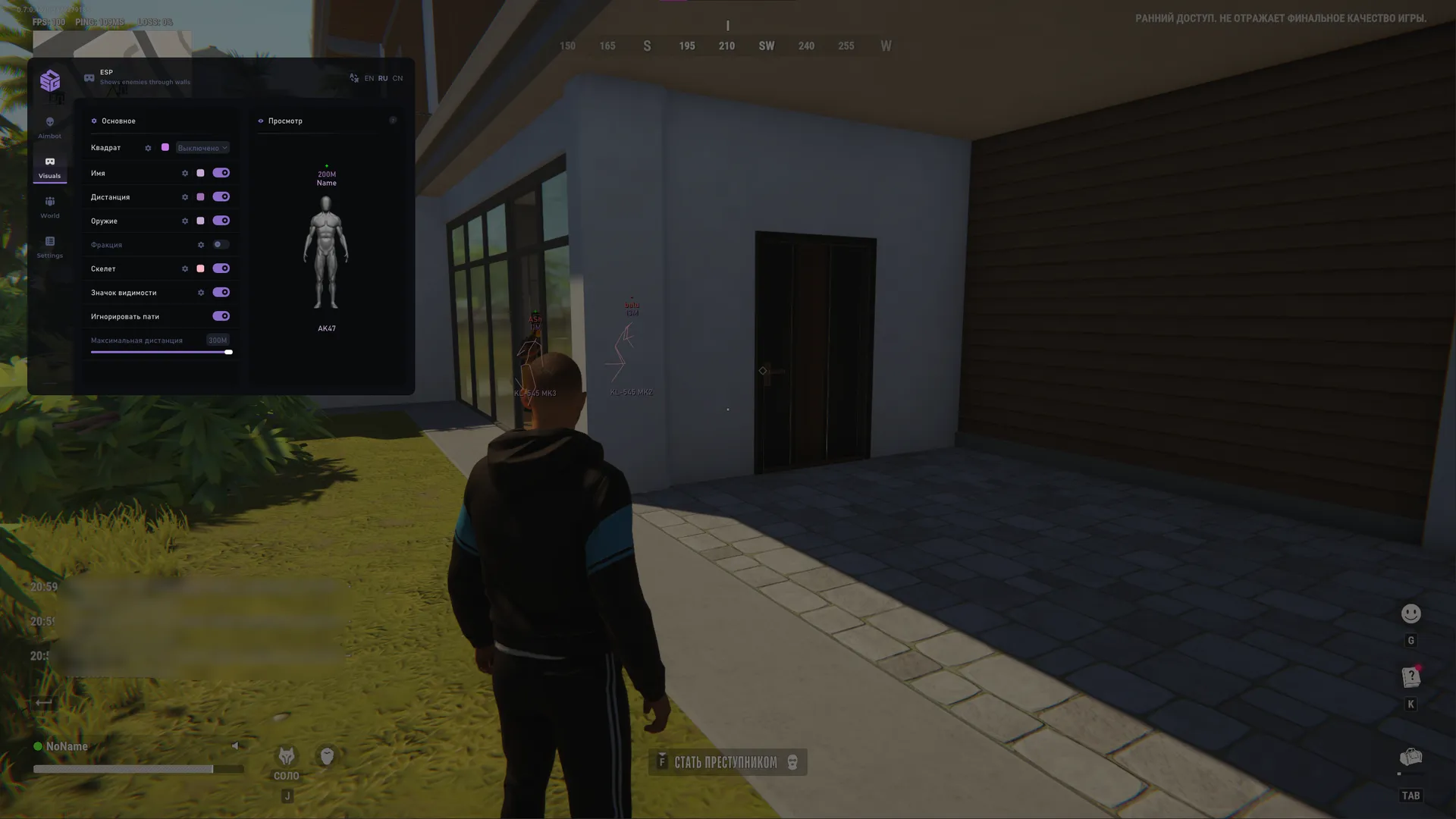
SMG for Rob Run combines Aimbot with bone selection and priority, faction-coloured ESP and World ESP. The menu includes a preview, saved settings, battle mode and Russian, English and Chinese language options.
SMG for Rob Run requires Steam in windowed or borderless mode. Check the exact Windows build, not just the operating-system family: the requirements list a limited release range. GPT and UEFI are also required, while a USB drive is optional.
Aiming, player visuals and world objects have separate tabs. Aimbot allows multiple bones and their priority to be selected. Visuals can exclude teammates from the display. If loot search is your main use, review World: doors, containers, vehicles and NPCs are separate categories rather than a single compulsory information layer. English, Russian and Chinese menu options are available.
 DeveloperSMG4.4(19)#13rankedTrust 80VerifiedProfileGuideInstallation guide
Purchase the product to leave a review
Review integrity
Only a confirmed buyer can leave a review
A moderator checks every review before it goes live
Reviews can’t be ordered or deleted
The author can edit it at any time
Share your impressions after the purchase — it helps other players choose.
Frequently Asked Questions
Select a question from the list on the right to see the answer
SMG for Rob Run combines bone-based aiming with separate visual controls. Aimbot, Visuals, World and Settings divide targeting, player information and object markers into different sections. You can change the information shown for the current task while retaining familiar settings elsewhere, rather than relying on one switch to enable everything at once.
Bone selection defines available aiming points, while Bone priority multi-select lets you choose several bones and set their priority. Showing the selected bone makes that point visible. FOV controls the selection area, and maximum distance limits candidate range. Point size and circle thickness affect appearance; they are different from the controls that determine coverage.
Automatic target switching has a delay setting. That controls switching behaviour rather than the marker's appearance. Visibility checking and Ignore teammates filter candidates. Teammate filtering is also present in the visual section, so review the two choices separately: hiding a player from ESP and excluding that player from aiming serve different purposes.
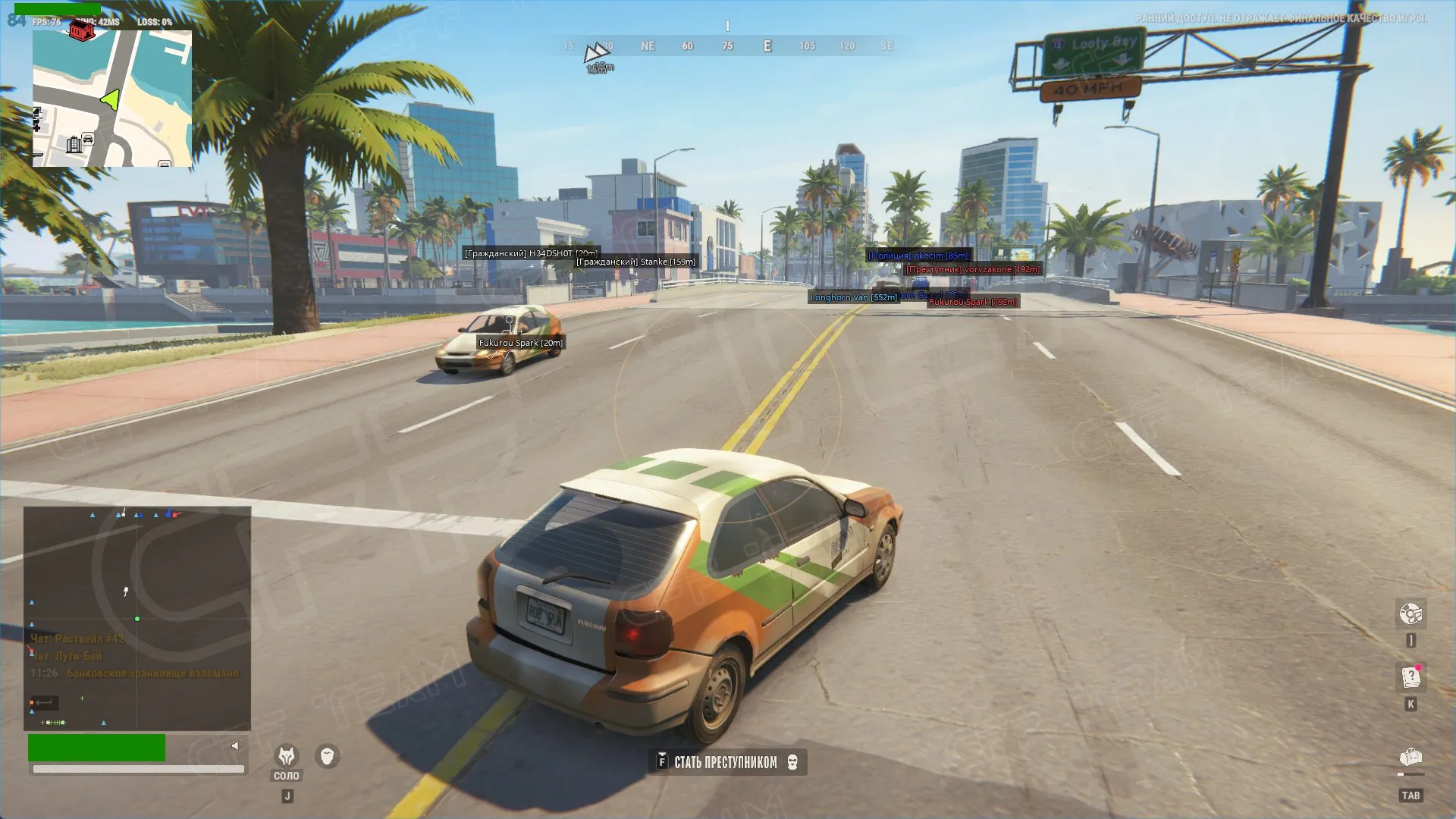
Visuals offers box mode and thickness, with labels for name, clan, weapon, role and distance. Skeletons and text convey different information, so enabling every option is not required. If the scene becomes crowded, shorten the display range or remove labels you do not need. A larger font improves text size but does not reduce the number of markers.
Faction colours are separate from visibility-state indicators. Visibility can use colour, text and an icon, while Preview shows the selected appearance. Establish distinguishable colours before checking boxes and labels in the preview. This helps keep a faction colour change from being confused with the visibility state of a particular target.
World covers doors, random loot, items, points of interest, containers, vehicles and NPCs. Categories have background, dot, maximum-distance and icon-size controls. A container search can focus on those markers, while a route through town can use vehicles and relevant landmarks. The full object list does not need to stay visible throughout the session.
Background makes a marker stand apart from the scene, while icon size determines how prominent it appears. Range limits distant objects. These controls complement category selection: shrinking every icon does not remove irrelevant information, and a short range does not fix oversized labels near the character. Decide what to display before refining its appearance.
This Rob Run cheat lists specific Windows builds, Intel or AMD processors and Steam in windowed or borderless mode. GPT partitioning and UEFI firmware mode are separate checks from the operating-system release. A spoofer is included and a USB drive is optional. Settings provides save, load and reset controls, font name and size, plus keys for the menu, panic, unload and battle mode. EN, RU and CN are available in the menu header. Save the current configuration before changing it if you want to restore the same display later.
Compare other builds and their feature sets in the Rob Run catalogue.