 Discord
 Telegram
Verified buyers only
Only a confirmed buyer can leave a review
 Rob Run
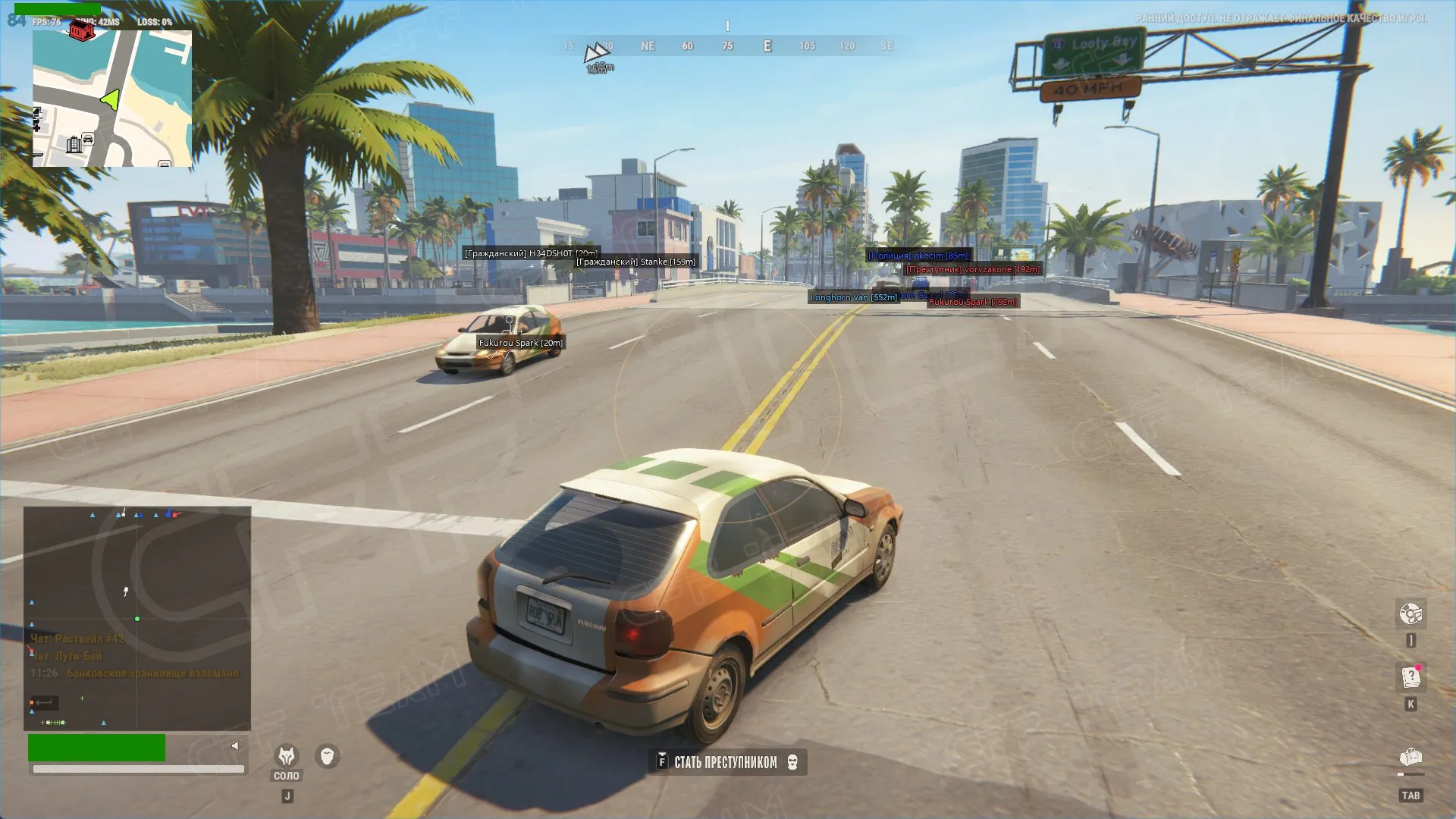
CFF for Rob Run combines Memory and Mouse aiming, role-based ESP and separate object and vehicle markers. Rectangular and circular radars have independent controls. This build requires the Steam version in windowed mode.
CFF for Rob Run requires the Steam client running in windowed mode. Borderless and full-screen modes are not listed for this build. Check your installed Windows build against the requirements before selecting a key; a supported Windows family does not mean every release in that family is supported.
Aim and visual information have independent controls, so the Aim section can stay disabled when you only want markers and radar. Memory and Mouse use different smoothing controls. Role filters also serve different purposes: showing a civilian in ESP does not require including civilians in aim selection. Choose the display and targeting rules separately.
Purchase the product to leave a review
Review integrity
Only a confirmed buyer can leave a review
A moderator checks every review before it goes live
Reviews can’t be ordered or deleted
The author can edit it at any time
Share your impressions after the purchase — it helps other players choose.
Frequently Asked Questions
Select a question from the list on the right to see the answer
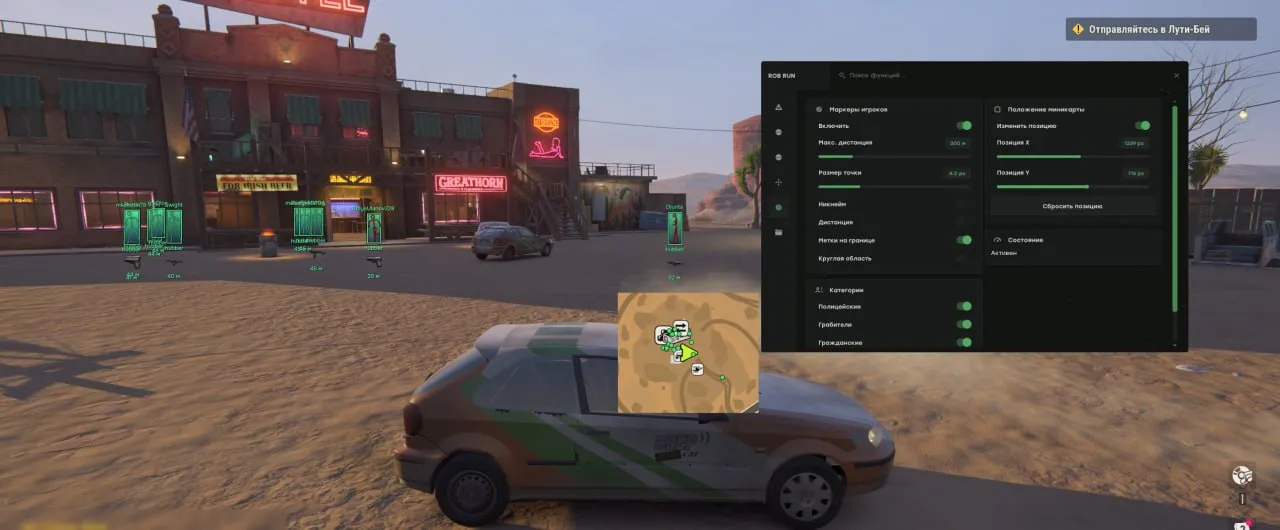
CFF for Rob Run separates aim controls, object markers and radar settings. You can build a display for cargo searches, driving or watching selected roles without enabling every layer. Category filters and range limits are useful when several labels overlap; the object hotkey gives you a quicker way to clear that layer while leaving other information available.
Memory provides angle-based aiming with a smoothing step. Mouse exposes gain, smoothness, maximum step and dead zone. The dead zone leaves an area around the centre without correction. Maximum step limits an individual movement, while smoothness adjusts how much correction is applied per update. Change these controls separately so you can identify which setting alters the response you want to adjust.
The focus circle describes the selection area, and range excludes distant candidates. Lock target retains the chosen player; No target switching prevents moving to another target until you release the aim key. Nearest-by-distance priority and motion compensation have separate purposes. Role selection can leave civilians visible in ESP while excluding them from aiming.
Player labels, roles, distances and skeletons are independent display choices. A shorter skeleton range can preserve distant labels without drawing detailed body lines over the whole scene. Wounded players receive a cross marker, while dead players have their own toggle and colour. Separate civilian, criminal and police colours make nearby labels easier to distinguish.
Entities splits loot from the surrounding world. Keep cargo and containers visible while disabling doors or call stations when they are irrelevant to your route. Toggle entities hides that group with an assigned key. Vehicles have their own labels and an Only occupied filter, so parked empty cars need not appear in the selected display. Police vehicles are a separate category.
The rectangular radar offers width, height, dot size and player direction. The circular radar uses radius, arrow size and distance display instead. Each has category and role filters, plus controls for dead players and occupied vehicles. You can use different information sets for each layout instead of carrying every ESP label into the radar.
For a driving route, select vehicles and the roles you want to track. For a loot search, add containers and cargo. Radar range controls the overview, while on-screen ESP relates a label to the object in the scene. Adjust the widget size and background around the game's existing indicators rather than covering information you still need.
This Rob Run cheat supports the latest stable Steam release, Intel or AMD processors and the listed Windows x64 builds. Windowed mode is required. Settings provides English and Russian menu languages, a menu key and a hide-all key. SAVE stores the configuration. Show local player separately controls whether your own character and occupied vehicle appear in the visual display.
Compare other builds and their feature sets in the Rob Run catalogue.