 Discord
 Telegram
Verified buyers only
Only a confirmed buyer can leave a review
 Rob Run
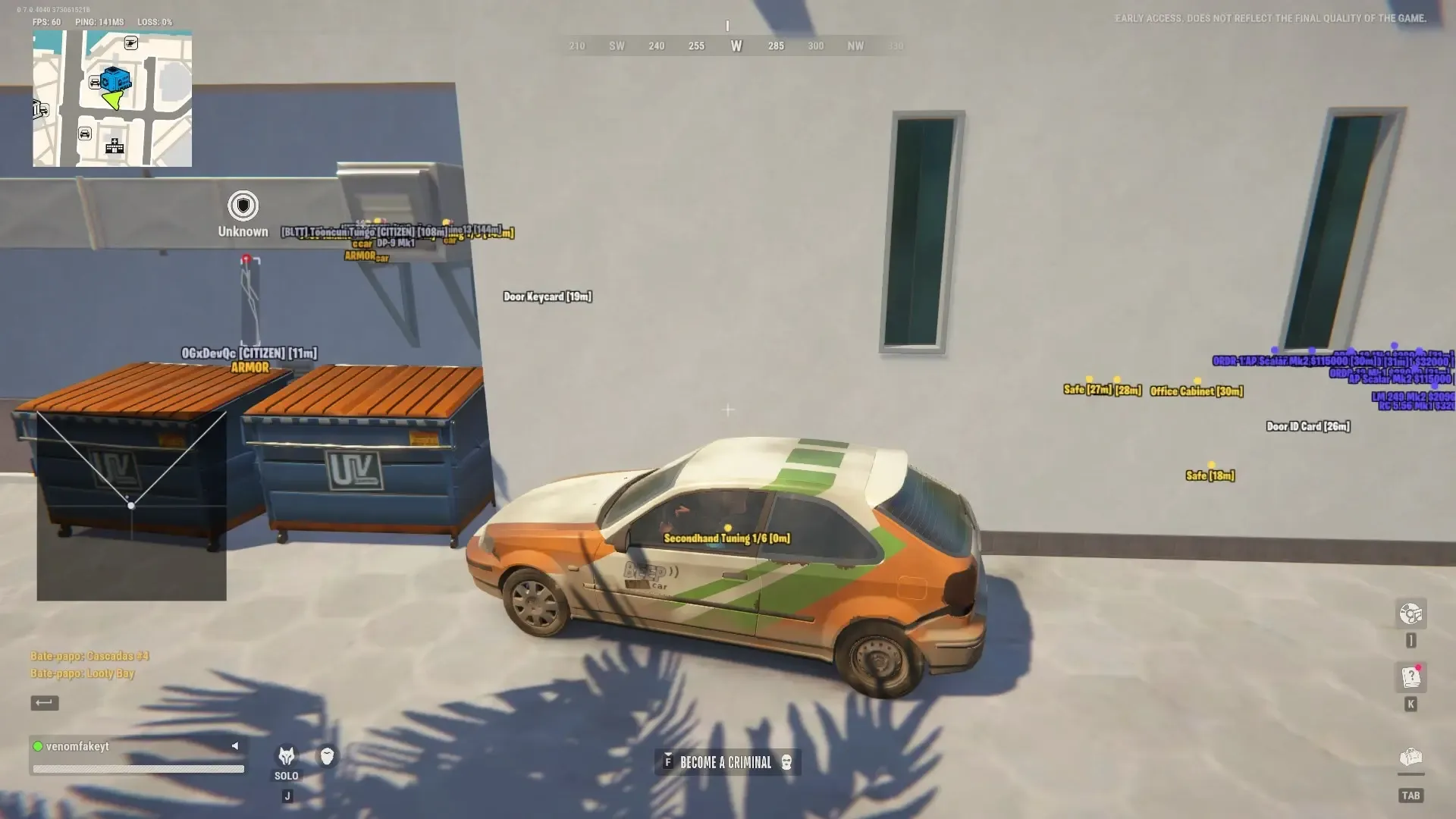
Ethereal for Rob Run includes Aimbot, player ESP, World ESP and radar. Weapon-specific aiming profiles and loot value and rarity filters let you adjust targeting and the information shown on screen.
Ethereal for Rob Run separates aiming settings by weapon type. Rifle, pistol, shotgun and SMG profiles let you avoid using the same response for every situation. Aimbot can remain disabled if you only want player information, World ESP and radar.
The requirements list Windows, Intel or AMD processors, NVIDIA or AMD graphics, GPT disk partitioning and UEFI firmware mode. They do not name a game client, so confirm compatibility with your client before buying. The minimum value and rarity controls select which loot markers appear; they are not automatic item collection.
 DeveloperEthereal3.9(14)#3rankedTrust 90VerifiedProfileGuideInstallation guide
Purchase the product to leave a review
Review integrity
Only a confirmed buyer can leave a review
A moderator checks every review before it goes live
Reviews can’t be ordered or deleted
The author can edit it at any time
Share your impressions after the purchase — it helps other players choose.
Frequently Asked Questions
Select a question from the list on the right to see the answer
Ethereal for Rob Run separates combat, loot search and radar configuration. Weapon-class profiles and item filters are central to its menu. You can adjust the response for a rifle while keeping a cargo search focused on the relevant markers. Each section has its own display controls, so more information does not require enabling every available label.
Config By Weapon separates rifles, pistols, shotguns, SMGs and other weapons. FOV controls the aiming area, maximum distance limits remote candidates, and horizontal and vertical smoothness can be adjusted independently. If the response along one axis needs changing, you can alter that setting while leaving the other axis alone. This is a different adjustment from changing the selection area.
Visibility Check, Ignore Dead and Ignore Clan Mates filter candidates. Save Target retains the chosen target, while hitbox selection and priority define aiming points. Triggerbot and Dead Zone have separate controls. The menu labels Aim Lock as Risky; that label is retained in the feature description.
World separates dropped bags, containers, loot nodes, random loot and cargo. Vehicles, doors and hiding spots sit in their own categories. Adjust range, marker size, labels and colour for the information you want to see. Distance Transparency makes distant markers less prominent, helping nearby objects stand out without removing the rest of the display entirely.
Show Value displays item value. Minimum Value and Minimum Rarity narrow the displayed set, so a loot search does not require reading every label. Looting, Raid, Cargo run and All provide different presets. Treat a preset as a starting configuration: check its categories and range against your current task rather than assuming one layout suits every route.
Radar gives a positional overview, while Off-screen Indicators point towards information outside the visible screen area. The two sections have separate settings. Size and zoom fit the radar into available interface space, and civilian, robber and police colours distinguish roles. Indicator FOV, thickness and glow belong to that visual layer rather than the Aimbot selection area.
Aiming visuals also have their own controls. The FOV circle supports thickness and fill, and the target marker can use a circle or triangle. A preview lets you inspect the appearance before returning to the scene. When a marker covers the target, adjust its size or fill without changing which distances qualify for aim selection.
This Rob Run cheat lists Windows 10 and Windows 11, Intel or AMD processors, and NVIDIA or AMD graphics. GPT is the disk partition style; UEFI is the firmware mode. Both are listed requirements. Settings includes profile creation and deletion, reset controls, interface scale and font options. Settings save when the menu closes. The supplied requirements do not identify a supported game client, so confirm that detail separately before purchase.
Compare other builds and their feature sets in the Rob Run catalogue.