🍎 Ultima Mod (iOS) — Installation and Launch Guide
🔗 Download .ipa files: https://t.me/getc_status_bot
📋 What You Need Before Getting Started
📱 Device: iPhone or iPad running iOS 17 or later.
🔑 Apple Certificate (choose one):
Personal Apple Developer Account: $99/year directly from Apple (the most reliable option).
Third-Party Certificate: Purchased from specialized providers (approximately $50–100/year). Search for "apple signing certificate".
TrollStore: Only available for iOS 14–16.7 on vulnerable versions. Provides permanent app signing without annual fees, but does not work on iOS 17+.
🛠️ IPA Installer: AltStore, Sideloadly (on PC), or Scarlet, ESign (directly on your phone).
📦 Ultima Mod IPA File: The download link is sent via email after purchase and is also available in your account dashboard.
Installing the app requires an Apple certificate: it is used to sign the IPA file. You can sign and install the IPA with ESign — step-by-step guide with screenshots: How to Sign an IPA with ESign.
No certificate yet? You can buy one on GetCheats.
🚀 Step-by-Step Installation Guide
Step 1: Download the IPA
Download the IPA to your computer (if using Sideloadly / AltStore) or directly to your phone (if using Scarlet / ESign).
Step 2: Sign the IPA with Your Certificate
AltStore + AltServer: The certificate associated with your Apple Developer ID is automatically used to sign the app during installation.
Sideloadly: Enter your Apple ID and app-specific password. The software will sign the IPA before transferring it to your device.
Scarlet / ESign: Import your
.p12certificate and.mobileprovision(provisioning profile) directly into the app, then select the IPA and tap "Sign & Install".
Step 3: Install the IPA on iOS
Connect your iPhone to your computer or open the installer directly on your device. Select the
Ultima.ipafile and start the installation. Wait until the "Ultima Mod" icon appears on your home screen.Step 4: Trust the Certificate in iOS Settings
When launching the app for the first time, iOS may display an "Untrusted Enterprise Developer" error — this is normal. Follow these steps:
Open Settings → General → VPN & Device Management.
Find your certificate profile under "Enterprise App" or "Developer App".
Tap the profile and select "Trust", then confirm in the dialog box.
Step 5: Launch and Activation
Launch Oxide: Survival Island normally (from the App Store).
Then launch Ultima Mod. It will display an overlay menu on top of the game.
Go to the Account tab and enter the activation key from your purchase confirmation email.
Once the key has been verified by the server, the menu will be unlocked, allowing you to use ESP, Aimbot, and other features.
❗ CRITICAL SAFETY RULES
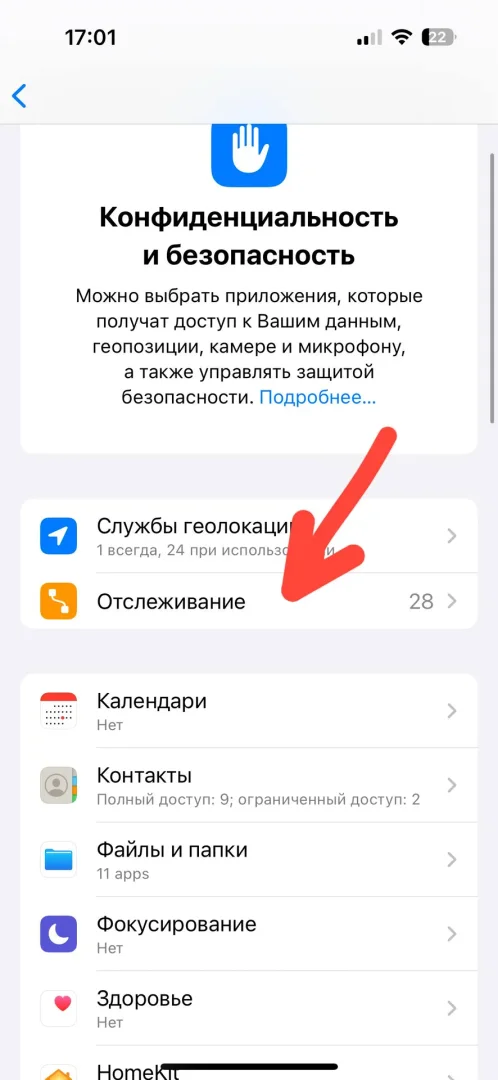
Advertising Identifier: If the system or app requests access to your Advertising Identifier — DO NOT grant permission. This identifier can also be used to ban your account.

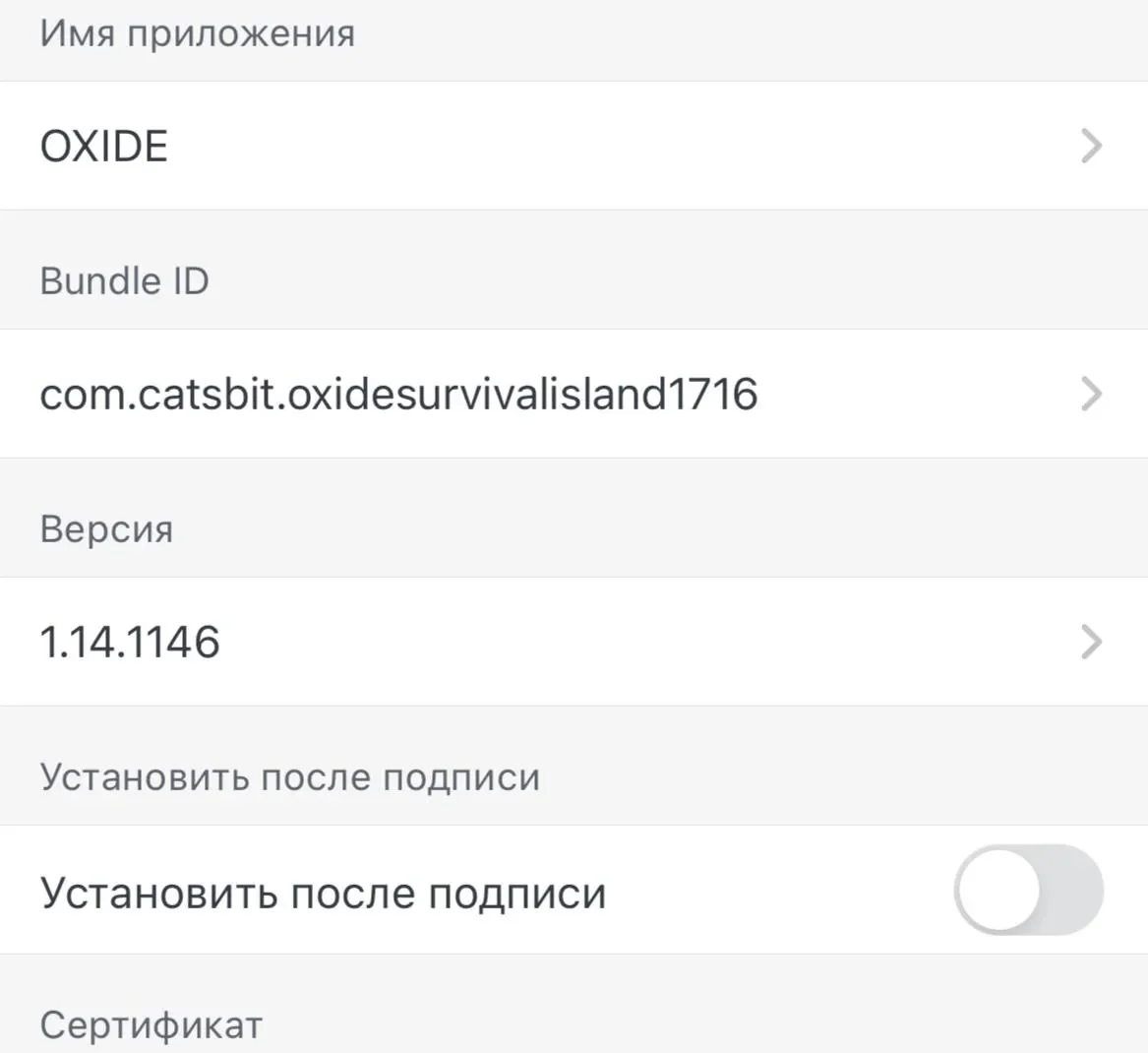
What to Do After a Ban: If you get banned, you must uninstall and reinstall Oxide: Survival Island. It is also recommended to change the Bundle ID with every new installation (use a different one each time).
🔄 What to Do If Your Certificate Is Revoked
Apple periodically revokes third-party certificates, causing the app to stop launching and display an error. Your cheat license will remain valid.
Purchase or renew a certificate from your provider.
Re-sign the same IPA file using the new certificate (via Sideloadly, Scarlet, or ESign).
Reinstall the app. You do not need to enter your activation key again, as it is already linked to your device.
Installation is complete. Follow the safety guidelines and enjoy the game!



