🔗 Choose a Product on ElitePvPers
Open the link to your desired product and navigate to the discussion page:
Reviews must be written in ENGLISH ONLY. Reviews in other languages will not be accepted.
📝 How to Leave a Review & Get Your Key
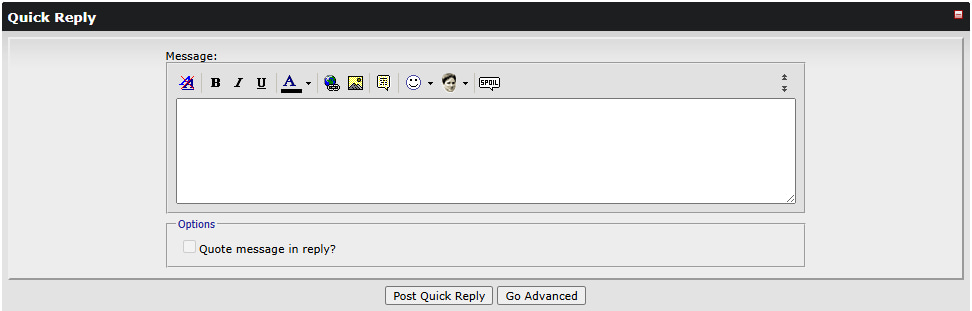
Step 1: Scroll Down & Prepare Your Review
On the product page, scroll down to the reviews section. Write your review about the product in English or a message about receiving your key.
Step 2: Send a Trade Request
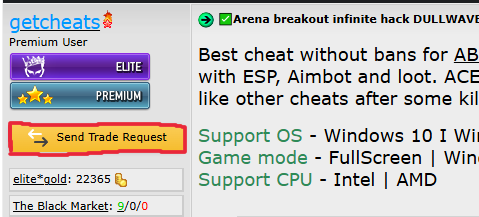
Scroll back up and find the "Send Trade Request" button (located on the left under the seller's avatar, highlighted in the screenshot):
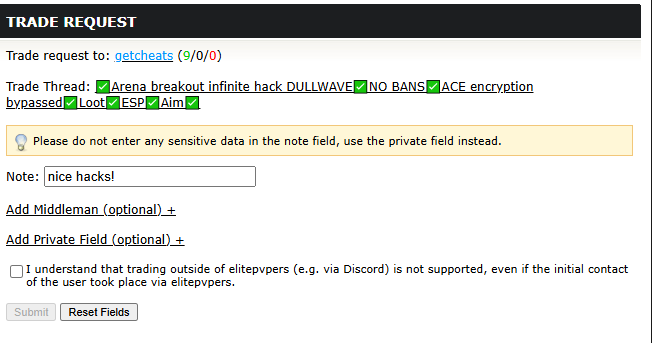
Fill out the trade form:
In the "Note:" field, write the reason for sending the trade — describe your opinion about the product
Accept the terms (check the box ✅)
Click the "Send" button
Contact us via private message to notify about the trade — we will accept it shortly
Step 3: Leave a Positive Rating
Click on "The Black Market" in the seller's profile
Find the trade number (as shown in the screenshot below — the number will be different)
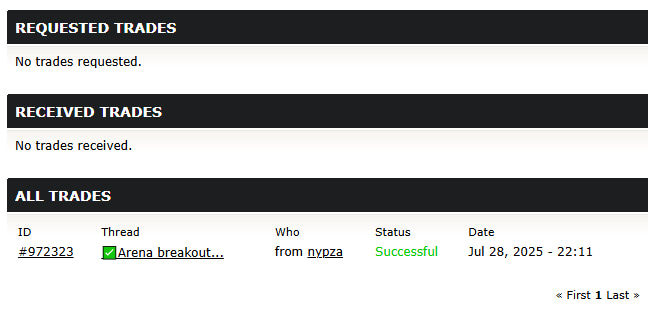
Leave a positive rating: Positive +1
Leave a brief comment in English
Click the "Submit" button
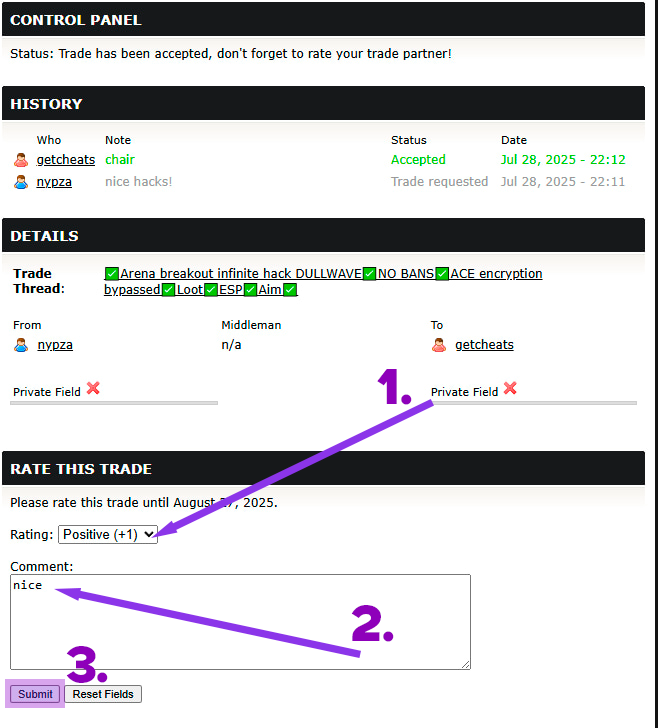
After completing all steps, your review is counted. Wait for key activation — we will process your trade as soon as possible.