1. Preparing the Secondary PC (Cheat/Stream Machine)
- Disable antivirus and firewall.
- Disable Windows Defender Firewall for all networks.
- Install DirectX Runtimes: https://www.microsoft.com/en-us/download/details.aspx?id=35 (clickable)
2. Download and Extract Files
- Download and extract both files (Loader and PhysX) into the same folder on the secondary PC:Loader: https://mega.nz/file/RERAxBqT#Pz-9KYdfXuPw8zmSx13CN1Zrg-aQg7jWvupwKbyKVUA (clickable)PhysX: https://mega.nz/file/HUNyFDzC#vFN_G450l0S2_msv0mgBFR9Iiv-fHgPkk5orfLRbW0k (clickable)
3.1 Preparing the Gaming PC
- Transfer the archive GameRun.zip to your gaming PC and extract it.
- Follow the instructions inside the archive to collect the required data.
- Transfer the generated file (e.g., EzGameInfo.bin) back to the secondary PC into the folder with Loader and PhysX.
3.2 Generating mmap.txt on the Gaming PC
- Download the MMap Tool to your gaming PC from: https://mega.nz/folder/HYNmTCbI#tuf1-QVZOlQb6SR43XrrEw (clickable) and extract it.
- Run the tool to generate the file mmap.txt.
- Copy mmap.txt to the secondary PC (via USB or network) and place it in the folder with the Loader.
- Important: After transferring, delete the MMap Tool and all its traces from the gaming PC.
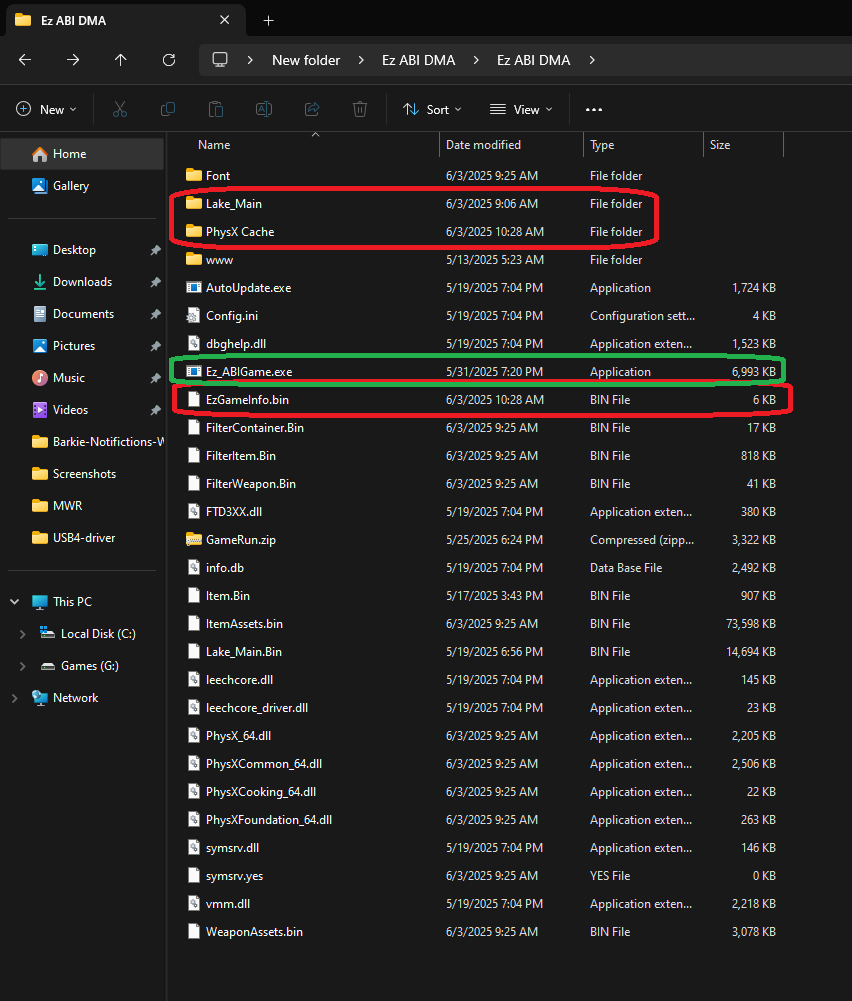
4.1 Running the Loader
- Double-click Ez_ABGame.exe on the secondary PC.
- You can run the program before or after launching the game.
- On first launch, the tool will auto-update.
4.2 If the update fails
- Make sure antivirus and firewall are completely disabled.
- Re-download and extract the Loader.
- Try again.
- If region-locked, use a VPN or proxy on the secondary PC.
5. Setup and Login
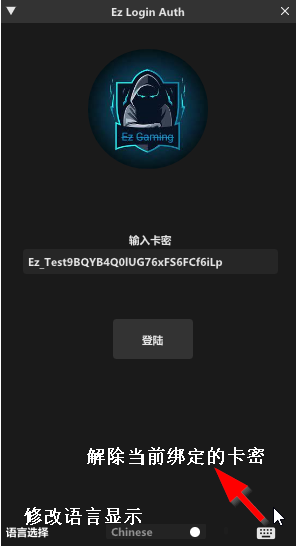
On the login screen, you can change the language (default is English, Chinese available).
After login, the following functions are available:
- Unbind Card Code — unbinds the card (costs 4 hours)
- Reset Card Code — resets binding (costs 8 hours)
- Fusion Mode — set in Global Settings
- Drawing Screen Selection — choose the monitor for output
- Item Filtering — filter items in Visual Settings
6. Important Recommendations
- After generating EzGameInfo.bin, always delete all helper files from the gaming PC.
- Never skip the GameRun.zip step on first use.
- If you have problems updating the Loader, use a VPN on the secondary PC.
- If DMA firmware is blocked (DMA speed measurement unavailable), replace the firmware.
- Multiple reports may cause your account to be flagged, data encrypted, and anti-cheat tightened.