🛠️ Preparing to launch the Ancient cheat
Before you begin, make sure you have an Intel or AMD processor (with AES support and SVM/VT-X virtualization enabled in BIOS)
2. System preparation
- Disable your antivirus 🛡️—An antivirus can block the cheat or delete necessary files.
Инструкция по его отключению: Blog | Instructions for disabling Windows Defender - Disable TPM in BIOS 🔒 (required - make sure that it is really disabled to avoid blocking) You can check whether TPM is disabled in Windows via Win + R → tpm.msc
- Download Loader (loader) - https://undetect.net/download/loader
- Alternative method (If the site does not load) - https://mega.nz/file/nEtmGDjA#-7OtCPB8M2h0w22AsNJi1jGxZtsgdIGyHFf91YQspfc
3. Launching the Ancient cheat
1) Run Loader as an administrator (RMB → Run as administrator)
2) Enter your activation key.
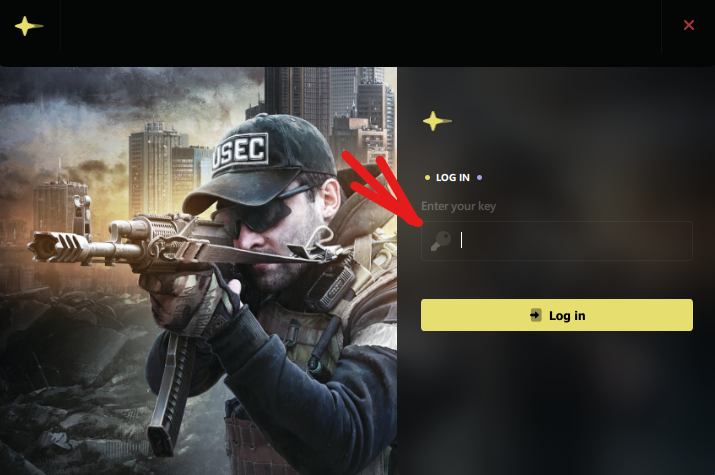
3) Click the Inject (Load) button.
After you press the cheat button, the injection process will begin, during which you may see a message: Your computer will automatically reboot within 30 seconds - 1 minute
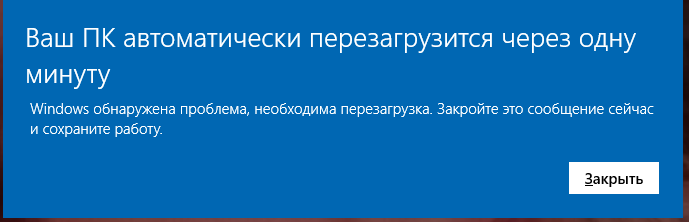
Wait for the reboot and run Loader again; if the indicator appears again, it means you need to wait for the PC to restart again.
4) After a successful injection, Loader will automatically close - this means that everything was successful! 🎉
5) Now launch the desired game.
4. Important System Requirements
- Enabled virtualization in BIOS
For Intel: VT-X
For AMD: SVM. - Windows 10 or 11 (versions 1809 – 25H2).
- 16 GB RAM
📝 Tips and lifehacks
- Don't forget to update your video card drivers!
- Do not use cheat on your main account - there is always a risk of blocking.
- Do not download the loader from suspicious sites.
- Don't share your key with anyone.