What is an HWID Spoofer?
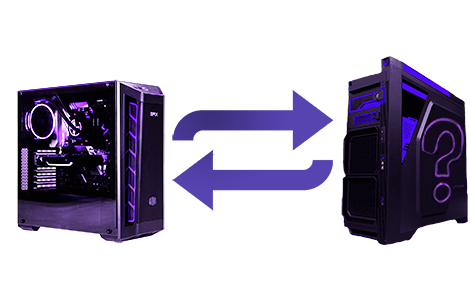
An HWID Spoofer is a system tool for changing a set of Windows hardware identifiers. The exact components and operating method depend on the selected product.

HWID spoofers from $2.65: private software for EAC, BattlEye, Vanguard, Ricochet, ACE and EA Javelin. Pick a temp or perm spoofer for your game and compare prices!
![Saturn Temp Spoofer [VANGUARD]](https://getcheats.io/cdn/media/cf/cf8e00127ba9a612c6d0598160b23e5d87770771441e4b809c916bab53206cb3.webp)
![Saturn Temp Spoofer [EAC]](https://getcheats.io/cdn/media/3d/3d2f1858ed25f25fab2ef5e95d20a2b7889e3c3e87886cb13e62926e3b69502b.webp)
![Saturn Temp Spoofer [BE + FiveM]](https://getcheats.io/cdn/media/ad/ad5b9f6170e4163a1b2cb63c3a1be6360fd397e6126c1303c9b93f614d081b8a.webp)
![Saturn Temp Spoofer [EA Javelin]](https://getcheats.io/cdn/media/59/59b0821ed71f689df3f8132cc7bebdb31632f67829de567124f4d473af912627.webp)
![Saturn Temp Spoofer [ACE]](https://getcheats.io/cdn/media/a7/a7dfd32985278365fba9061c5d26667c8ed0d8817bce83e077521dedc4064008.webp)
![Goyda [EAC] spoofer](https://getcheats.io/cdn/media/55/5507a188094dde169b77186011e1c4618386081abdfcb0920f0b90718e712767.webp)



Below is a table of every HWID Spoofer cheat in our catalog: features, supported launchers and the price per day. Compare aimbot, ESP and other features, pick software that fits your launcher and budget — then go straight to the product you need.
| Cheat | Launcher | Features | |||
|---|---|---|---|---|---|
| GetCheats HWID Spoofer | — |
| ≈ 5.6 USD/ 1 day | — | |
| Saturn Perm Spoofer | — |
| ≈ 69.33 USD/ BattlEye + FiveM AC | 5.0(2) | |
| Saturn Temp Spoofer [VANGUARD] | — |
| ≈ 16.76 USD/ 1 day | 5.0(2) | |
| Saturn Temp Spoofer [EAC] | — |
| ≈ 11.17 USD/ 1 day | 5.0(3) | |
| Saturn Temp Spoofer [BE + FiveM] | — |
| ≈ 5.73 USD/ 1 day | — | |
| Saturn Temp Spoofer [EA Javelin] | — |
| ≈ 11.47 USD/ 1 day | — | |
| Saturn Temp Spoofer [ACE] | — |
| ≈ 9.2 USD/ 1 day | — | |
| Goyda [EAC] | — |
| ≈ 5.99 USD/ 1 day | 3.7(3) | |
| TitanX HWID Spoofer EAC | — |
| ≈ 3.59 USD/ 1 day | 2.6(12) | |
| HWID Spoofer BO6, BO7, WZ, MW3, MW2 from Crooked Arms |
|
| ≈ 57.33 USD/ 31 days≈ 1.85 USD/day | — | |
| HWID Spoofer Arena Breakout |
|
| ≈ 3.99 USD/ 1 day | 5.0(1) | |
| Stugware TPM Spoofer | — |
| ≈ 5.51 USD/ 3 days≈ 1.84 USD/day | — | |
| TPM Spoofer | UBGG | — |
| ≈ 13.33 USD/ One use | 5.0(1) | |
| HWID Spoofer Arc Raiders (Crooked Arms) | — |
| ≈ 3.99 USD/ 1 day | — | |
| HWID Spoofer Delta Force Hawk Ops by Crooked Arms |
|
| ≈ 6.65 USD/ 1 day | — | |
| HWID Spoofer The Finals by Crooked Arms |
|
| ≈ 4.65 USD/ 1 day | — | |
| HWID Spoofer BE for EFT and DayZ by Crooked Arms |
|
| ≈ 6.65 USD/ 1 day | — | |
| Arcane | — |
| ≈ 5.32 USD/ 1 day | — | |
| EXLAB [BE] HWID Spoofer |
|
| ≈ 2.65 USD/ 1 day | — |
Cheats for games of the same genre and anti-cheat — you might like these
Frequently Asked Questions
Select a question from the list on the right to see the answer
GetCheats.io carries private HWID spoofers for EAC, BattlEye, Vanguard, Ricochet, ACE and EA Javelin. Daily plans start at just $2.65, and permanent versions are there if you're in it for the long haul. A spoofer swaps your hardware IDs so you can get back in the game on a fresh account after an HWID ban.
Temp spoofer — the spoof lasts until you reboot. Cheap daily plans and a quick start: perfect for a few days of play or for testing a build before you commit.
Perm spoofer — changes your IDs once, no need to run it before every session. Costs more, but pays off if you play daily.
Anti-cheat specific — every product page shows which protection the spoofer is made for: EAC, Vanguard, BattlEye and others. Pick the one that matches your game.
Private software with buyer reviews and ratings right on the product page.
Clear requirements before you pay: Windows version, BIOS mode, disk layout (UEFI/GPT).
Activation key right after payment, plus setup instructions.
Open the spoofer page for your game and check the system requirements.
Choose a plan and pay.
Grab your key, download the loader and run the spoofer following the guide.
Make sure your new account is created after the spoof, not before.
A spoofer won't unban your old account — it's there so you can play on a new one.