1️⃣ Register in the loader: https://mega.nz/file/vQs0wI4S#9cYyzNbTuklNiVerLRyRZsEjIYGobclJsv4pgFceC1w
- Launch the loader application.
- Enter the registration key provided with your purchase.
- Log in and redeem the key.
2️⃣ Prepare Your USB Drive
- Insert a USB drive into your PC.
- Format it to FAT32 or exFAT.
3️⃣ Inject the Game
- Run the loader.
- Select the game you want to inject.
- Click 'Inject' and follow the on-screen instructions.
4️⃣ If the Hypervisor Is Not Loaded
- Reboot your PC.
- Enter the BIOS (press DEL, F2, or ESC during startup).
- Select the USB drive and boot from it.
5️⃣ Booting Into Windows via USB
- Once Windows loads from the USB, open the loader again.
- Select your game.
- Click 'Inject'.
6️⃣ Launching the Game
- After the loader closes, launch the game manually.
- Wait until the in-game menu appears.
- Press INSERT or DEL to open/close the menu.
💻 Hardware Requirements (All Must Be Enabled)
Intel: VT-x, VT-d, NX bit
AMD: AMD-V, AMD-Vi, NXD bit
⚙️ Important BIOS Settings
Intel: Enable Virtualization (VT-d, VMX)
AMD: Enable Virtualization (SVM / AMD-V)
Run bcdedit /set hypervisorlaunchtype off as admin.
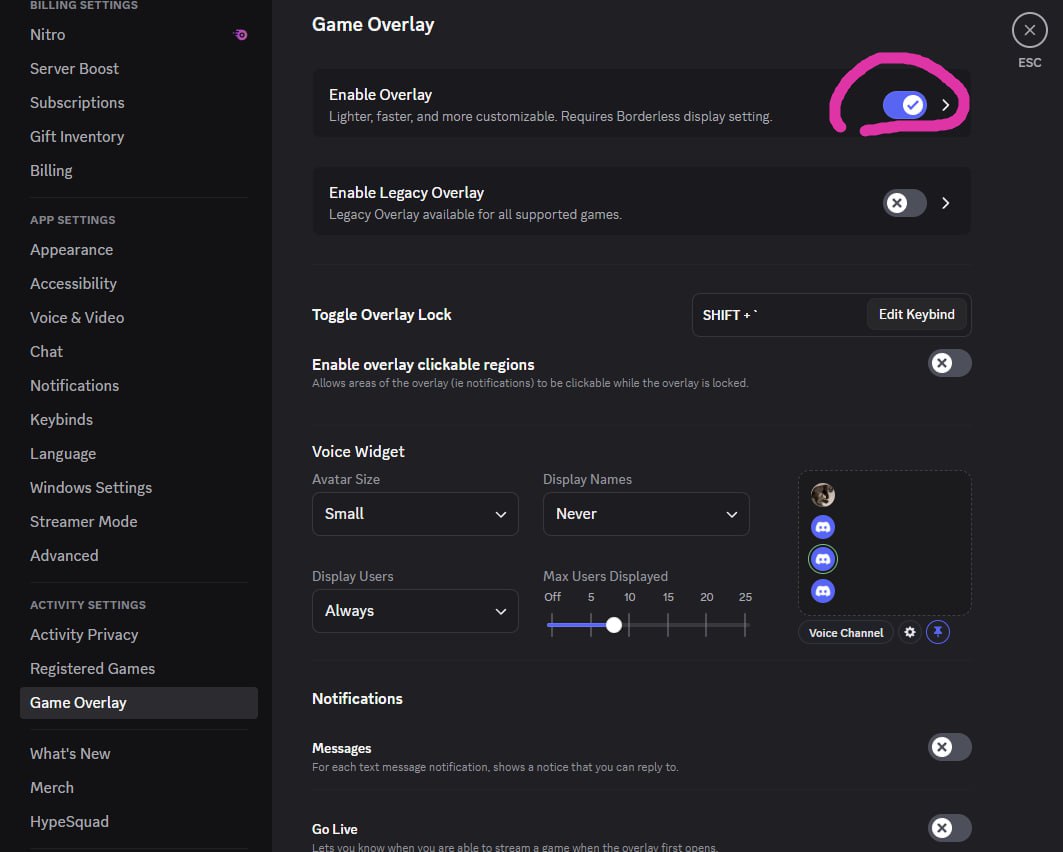
💬 Discord Settings
Make sure your Discord is configured correctly.