⌨️ ESP On/Off: key F2
🧹 Step 1. Preparing the System
MUST BE DELETED:
❌ Vanguard
❌ Faceit
❌ Kaspersky Antivirus
🟢 For Nvidia GPUs Driver version required 591 or lower — DOWNLOAD DRIVER
📦 Step 2. Downloading the software
Connect to the PC USB flash drive and drag the folder from the archive onto it.
💡 Don't have a flash drive? Create a virtual one using software OsfMount
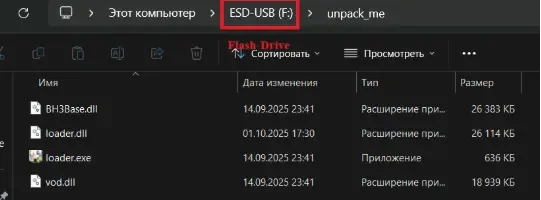
⬇️ Install the loader via this link.
Unzip all the files into a single folder and run the program loader.exe.
Enter your product key.
Select a game and click the Start button.
⚠️ If the loader returns an error, contact technical support.Follow the loader's instructions to launch the game. Do not press F5 in the loader!
Remove the USB flash drive.
🎥 Step 3. Configuring OBS
Run this when it loads game main menu.
Download OBS from this link (Install it strictly according to these instructions.)
If OBS prompts you to update— Do not update.
Launch OBS on behalf of the administrator.
Follow these steps:
Game Capture → Create New → Capture Specific Window → RainbowSix.exe
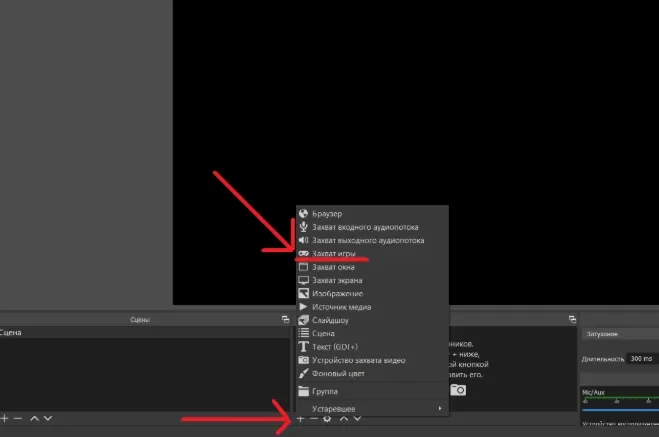
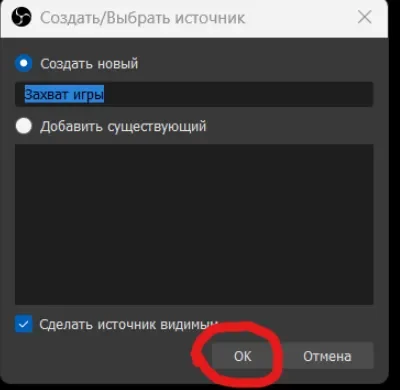
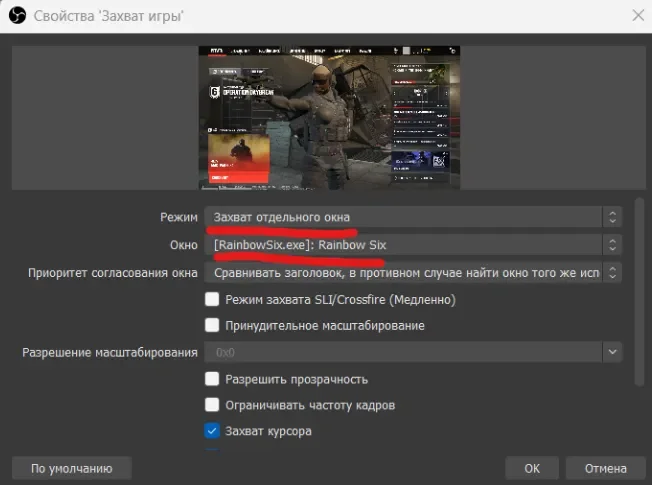
Wait until the game's video feed appears in the OBS window (as shown in the screenshots above).
🚀 Step 4. Launch the script via the loader
Make sure you in the game's main menu: Not in the settings or on any other pages.
Click F5 in the loader window and follow its instructions.
🛠 Did Loader write "Change game window mode and press F5"?
Go to the game settings.
Change the window mode, for example, from "Window" to "Full Screen" or vice versa.
Apply the changes.
Return to the game's main menu.
Click F5 in the loader.
✅ The loader will notify you that the software has been successfully loaded and will then close.
🎯 Step 5. Activate the reader
🔫 Forwards
Go to the section "Operatives" → "Assault Squad".
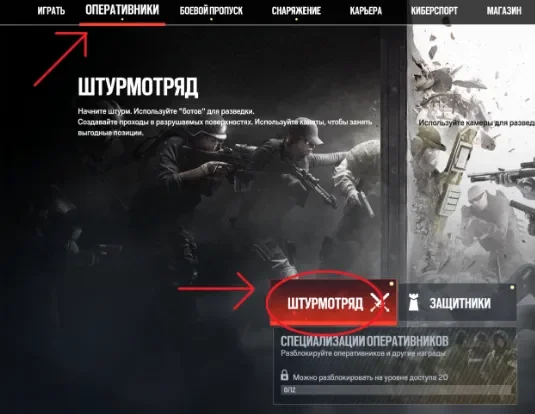
Hover your mouse over the field agent Striker, without clicking, and wait until its model appears on the right.
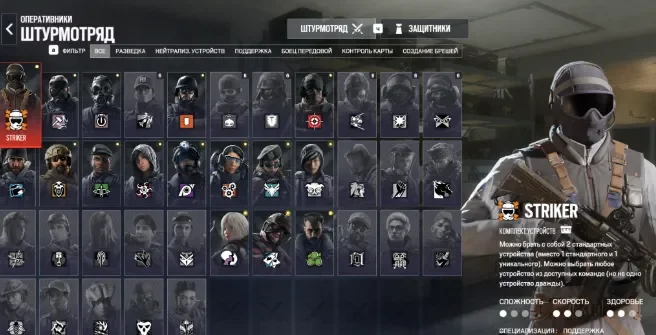
Click once F1 (without holding).
🛡 Defenders
Go to the section "Defenders".
Hover your mouse over the field agent Bandit, without clicking, and wait until its model appears on the right.
Click once F1 (without holding).
🏁 Done!
The cheat is set up. Go to shooting range, to test it.



