
⚙️ System Preparation (EN)
Virtualization must be enabled in BIOS
How to enable it: https://youtu.be/LQIyowZMiY8
Check the virtualization status in Task Manager → Performance tab → CPU
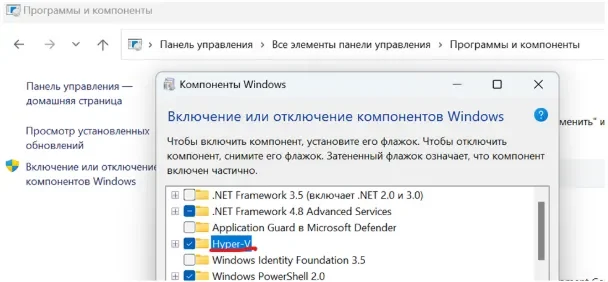
Enable the Hyper-V component in Control Panel
Restart your PC when the system prompts you to do so
If this component is not available on your system, download the BAT file and run it as administrator. After the script closes, restart your PC. The component should appear
Check the system disk partition style
The disk must use the GPT partition style
How to check: https://remontka.pro/gpt-or-mbr-disk
If the disk uses MBR, you will need to reinstall Windows
The BIOS boot mode must be set to UEFI
Secure Boot must be disabled in BIOS
At this stage, the system setup is complete. To verify it, you can launch the loader and go to the Configs tab. If everything has been configured correctly, the main components should be highlighted in green.
❗ Important
The game must be running in DirectX 11 Enhanced mode (select it in the game's graphics settings).
💾 Software Loading
Loader: https://e.pcloud.link/publink/show?code=kZkF4AZVLATAYIM23QXfH1U9bCqfLTG3q5X
Connect a removable storage device (USB flash drive) to your PC and move the folder from the archive onto the USB drive
Extract all files into a single folder and run loader.exe
Enter your product key
Select the game and click the launch button
Follow the loader instructions and launch the game
Do not press F2 in the loader at this stage
🎥 OBS Setup (once the game's main menu has loaded)
Download OBS using this link (you must install the version provided through this exact link)
Run OBS as administrator
Configure OBS as follows:
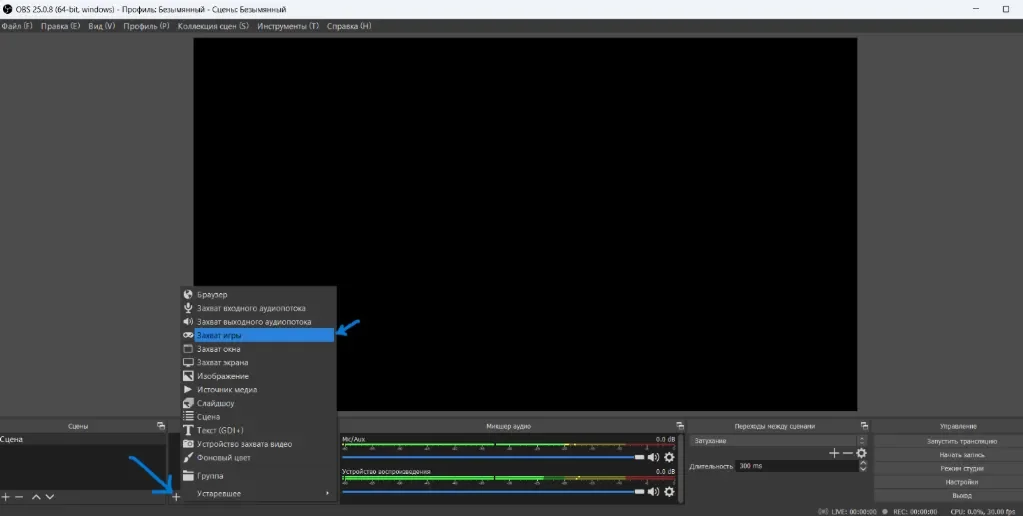
Select: Capture a specific window
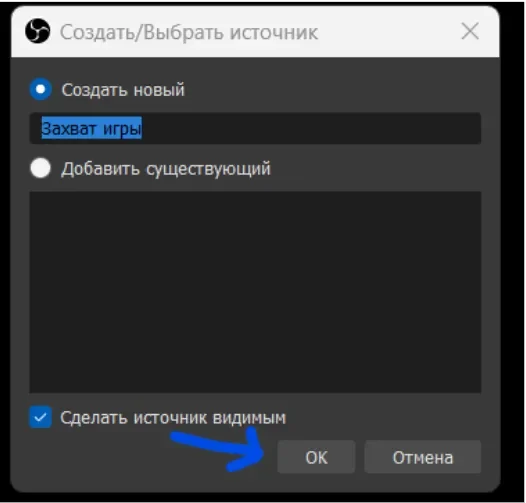

In the window, select the PUBG process ("TslGame.exe") and click OK
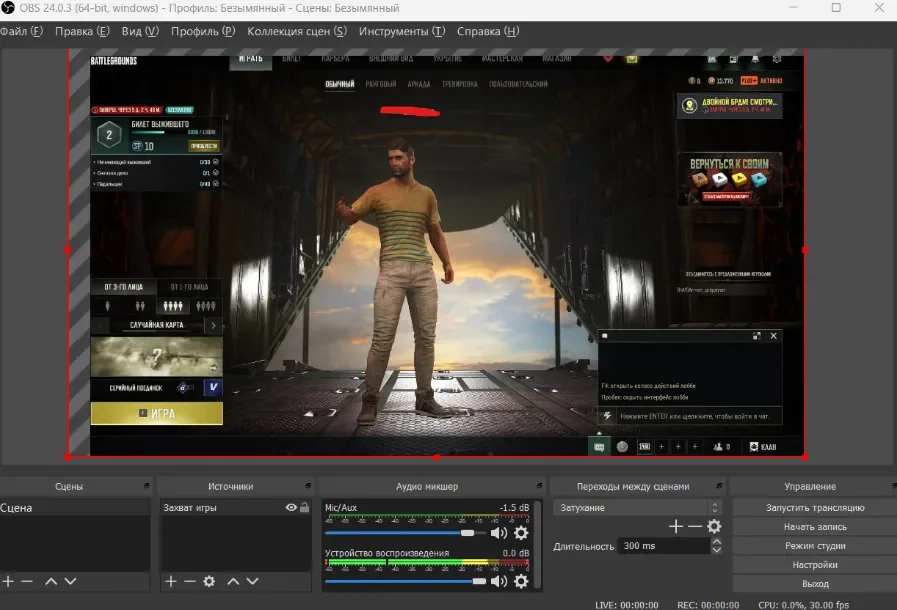
Wait until the game image appears in the OBS window
If it does not appear, try running OBS as administrator
🔹 If you have an AMD or Intel graphics card
Once the game's main menu has loaded, launch Action and switch to "Games" mode
Wait until the FPS counter from Action appears in the top-right corner of the game's main menu
After that, proceed to the next step
🎯 Final Step: Injection
Press F5 in the loader window and follow its instructions
If the loader displays "Change game window mode and Press F5":
Open the game settings
Change the resolution (for example, from 1920×1080 to 1680×1050 or vice versa)
Apply the changes
Press F5 in the loader
🎬 Video tutorial: Click (we recommend following the video exactly)
The cheat is active and ready to use. Enjoy the game!



