All steps must be completed, otherwise - you may have difficulties in using any of our software.
Loader: https://api.hacks.byster.one/launcher/download?ref=Getcheats
Virus Protection
Be sure to do exactly as in the picture below!
Settings -> Update & Security -> Windows security -> Virus & threat protection
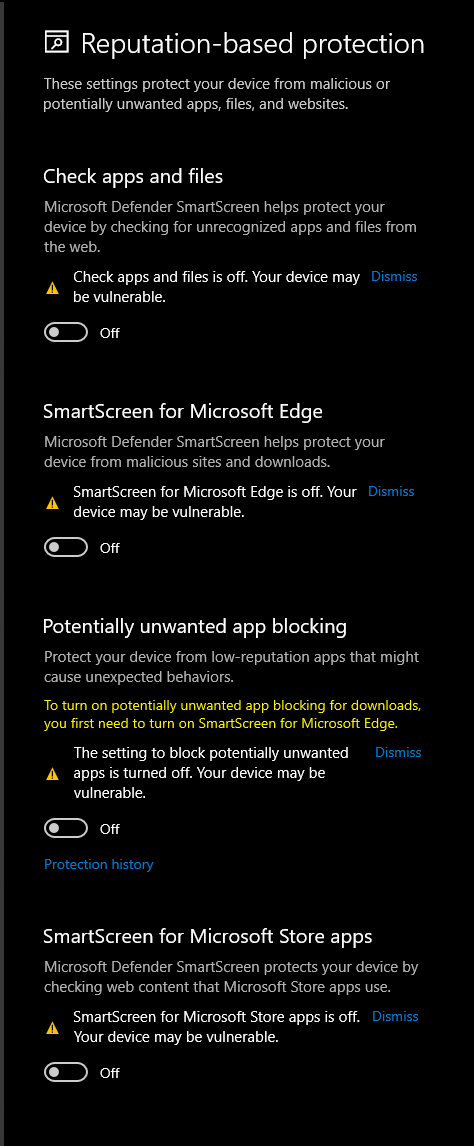
Firewall protection
Be sure to do exactly as in the picture below!
Settings -> Update & Security -> Windows security -> Firewall & browser control
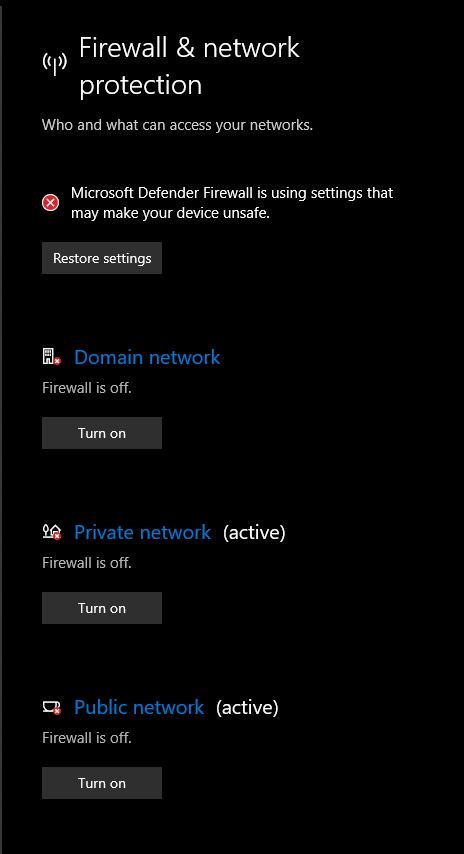
Reputation-based protection
Be sure to do exactly as in the picture below!
Settings -> Update & Security -> Windows security -> App & browser control -> Reputatin-based protection
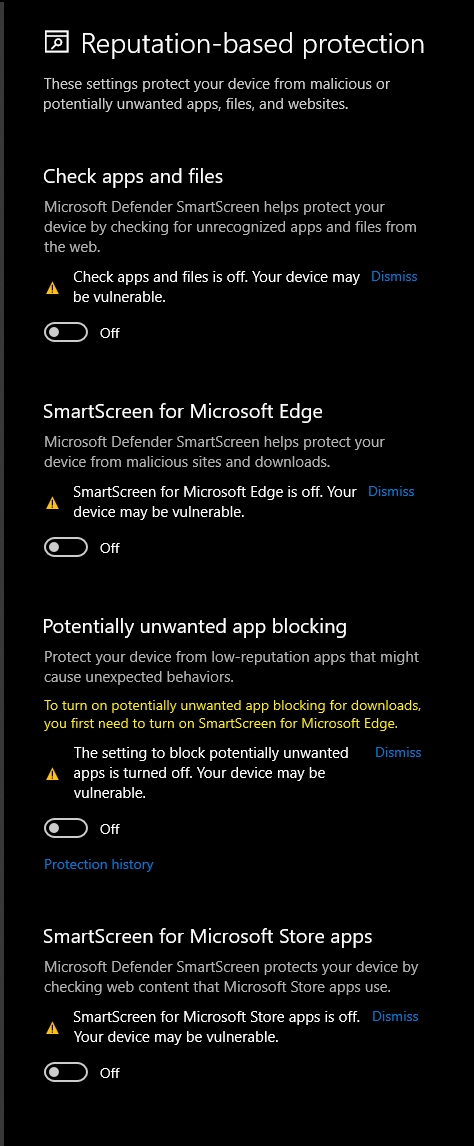
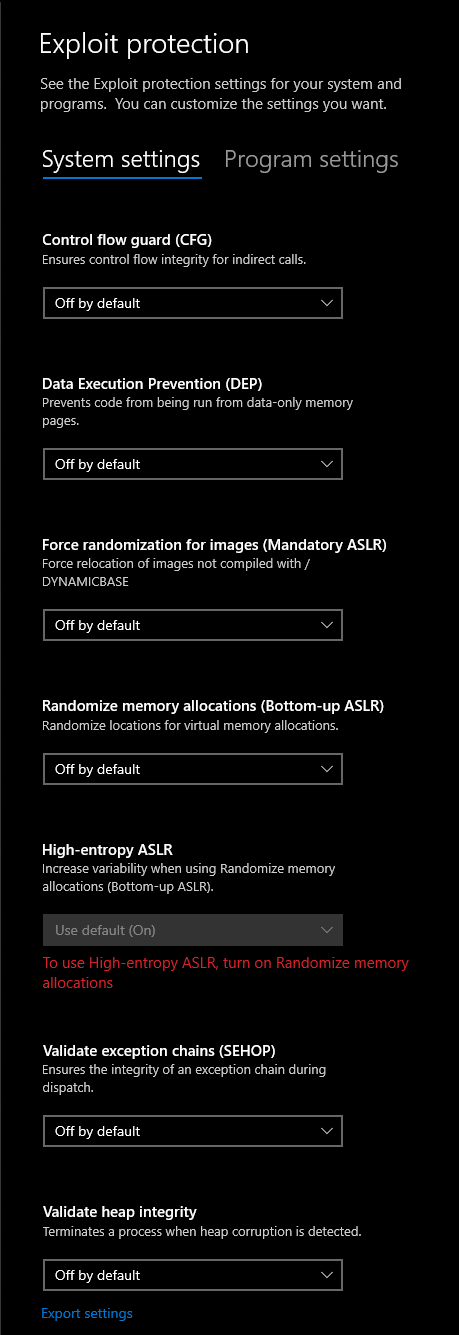
Exploit protection
Be sure to do exactly as in the picture below!
Settings -> Update & Security -> Windows security -> App & browser control -> Exploits protection
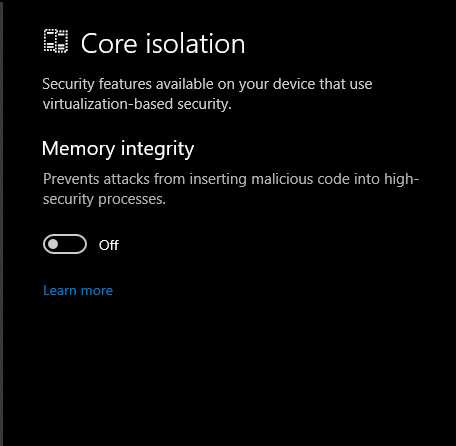
Core isolation
Be sure to do exactly as in the picture below!
Settings -> Update & Security -> Windows security -> Devise security -> Core isolaction details
Antivirus programs
Need deleted
DELETE ALL
- McAfee
- Norton
- McAfee
- Kaspersky
- Avast
- AVG
- ESET NOD32
- Malwarebytes
- 360 secure
- ANY OTHER ANTIVIRUS SOFTWARE
Overclocking
Programs that must be removed
- MSI Afterburner
- EVGA Precision
- RivaTuner Statistics Server
- Gigabyte AORUS Engine
- ASUS GPU Tweak
- AMD Ryzen Master
- Intel Extreme Tuning Utility (XTU)
- CPU-Z
- Cinebench
- HWMonitor
- And others
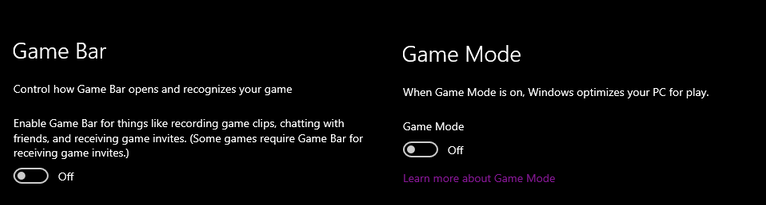
Game bar and game mode
This must be disabled
Windows settings -> Gaming -> Game bar / Game mod
Remove Game bar via PowerShell
- Run PowerShell with administrator rights
- Enter the command Get-AppxPackage Microsoft. XboxGamingOverlay | Remove-AppxPackage
Most popular overlays
Overlays in these apps should be turned off.
- Discord
- NVIDIA GeForce Experience
- Razer Cortex
- Xbox Game Bar
- Overwolf
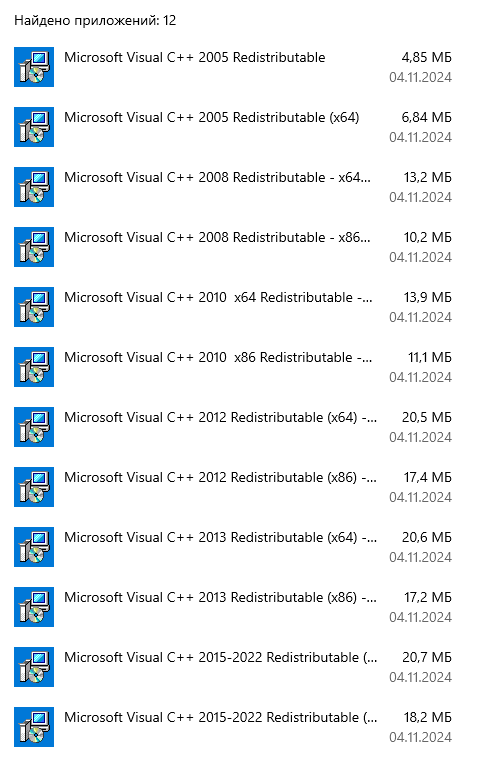
An example of how it should look
Download link - https://www.techpowerup.com/download/visual-c-redistributable-runtime-package-all-in-one
After downloading, you need to unzip the files and run "Instal_all" with administrator rights