⚠️ Attention 😊If using a spoofer, launch the bot as follows:
- Launch the launcher (account login/subscription activation/bot setup) 🚀
- Launch the spoofer 🛡️
- Launch the game 🎮
- Launch the bot 🤖
Installation Instructions 📥
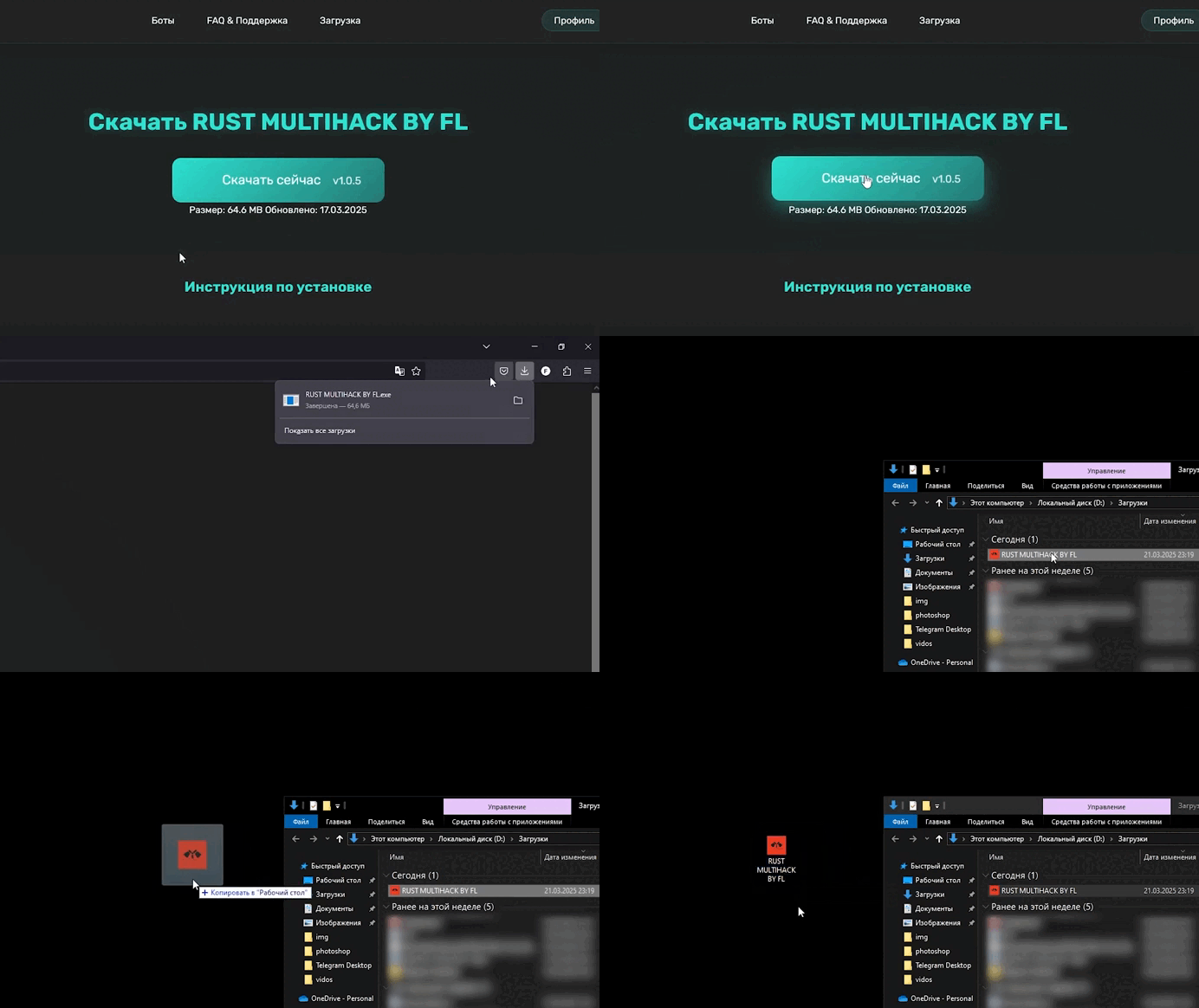
1. Install the Loader 🔧https://flbots.ru/download
After downloading, move the installer to a convenient location 📂
⚠️ Disable antivirus during installation 🛑
2. Launch the Loader ⚡
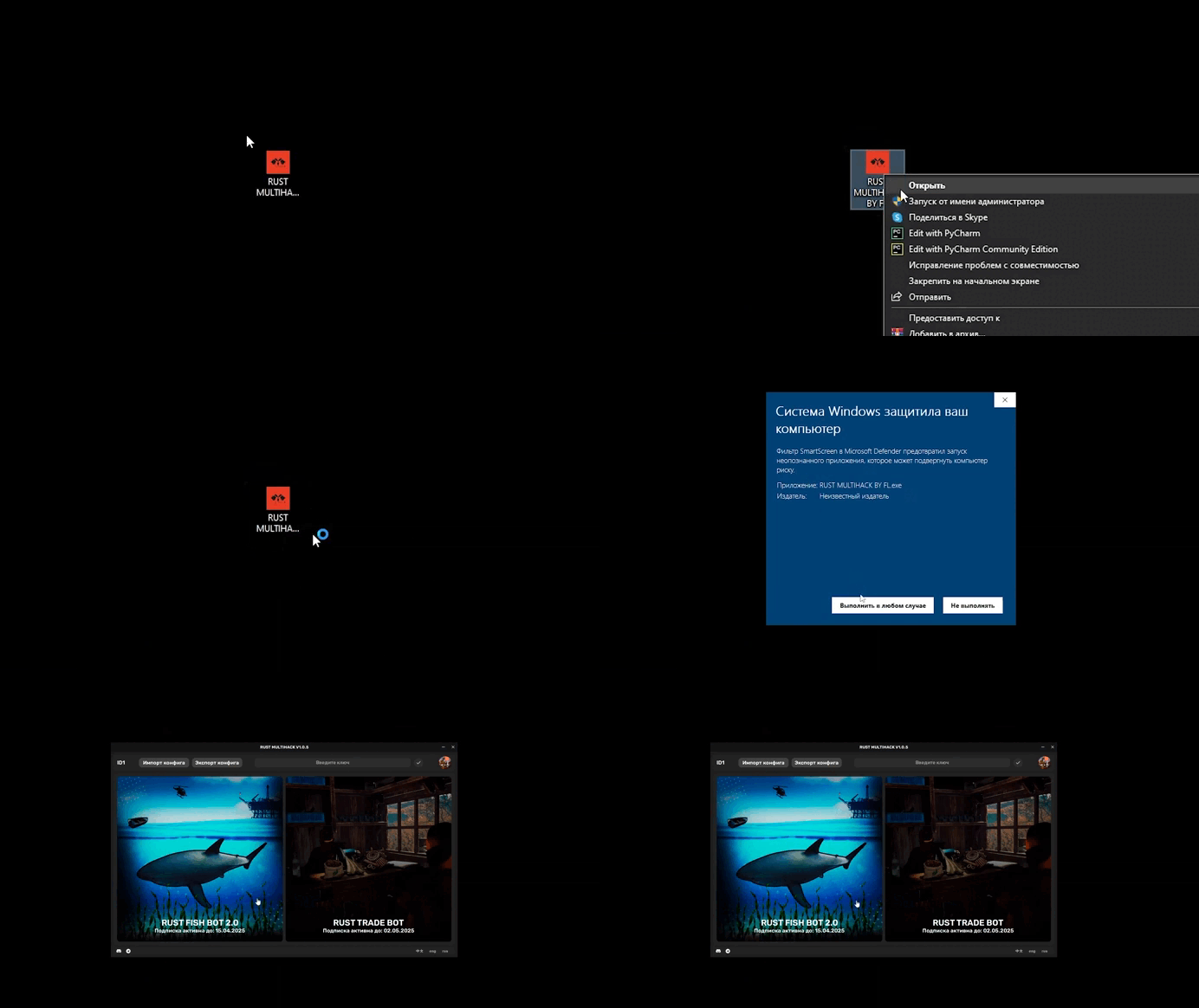
Run RUST MULTIHACK BY FL.exe as administrator 👨💻
3. Configure and Start Using 🎛️
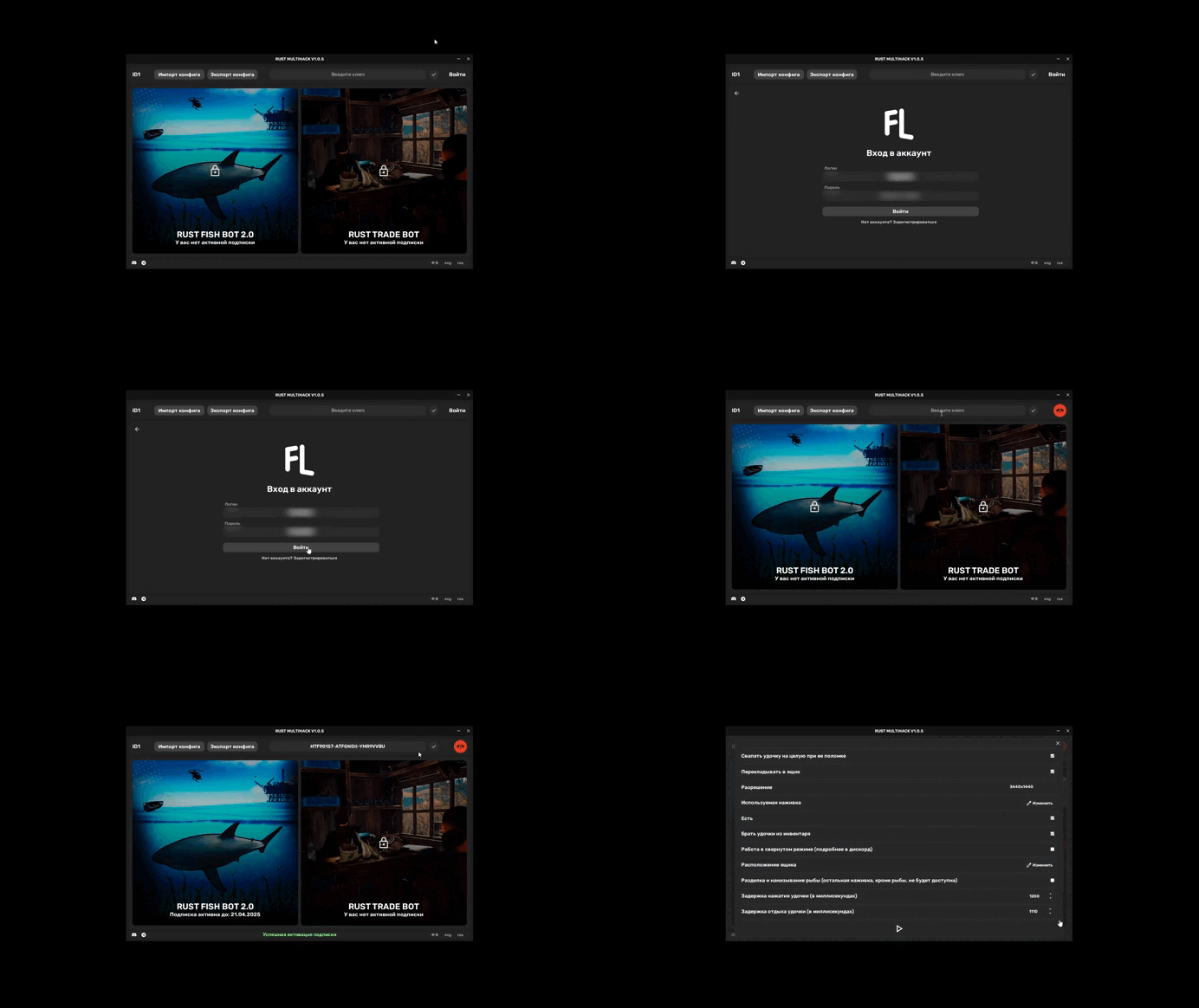
Perform initial setup: log in to account, activate subscription key, configure bot ✅
⚠️ Mandatory: Install .NET 8.0 package for bot to work 📦
Configuration Instructions ⚙️
1. Main Parameters 📋
- Swap rod on break 🔄: Rod auto-swaps from adjacent slot after breaking
- Move to chest 📦: Bot auto-moves fish to chest every 30 catches
- Resolution 🖥️: Select game resolution (1920x1080 or 3440x1440 available)
- Bait used 🪱: Select bait for bot fishing (unless option #9 enabled)
- Eat 🍗: Bot auto-eats from hotbar slot 6
- Take rods from inventory 🎣: Bot takes rods from inventory if hotbar slots empty
- Minimized mode 🪟: Run bot, switch to other apps; fishing continues (fishing only)
- Chest position 🗺️: Change chest location (see point 2)
- Process fish as bait 🐟: Uses caught fish/meat as bait
- Rod pull delay ⏱️: Time holding LMB to reel fish
- Rod rest delay 😴: Time releasing LMB
.png)
2. Changing Chest Position 🗃️
In bot settings, click chest position change button 🔧
Console opens; in-game, hold rod in fishing position, press F9 ⌨️
Chest search starts; success message shows, close on any key ✨
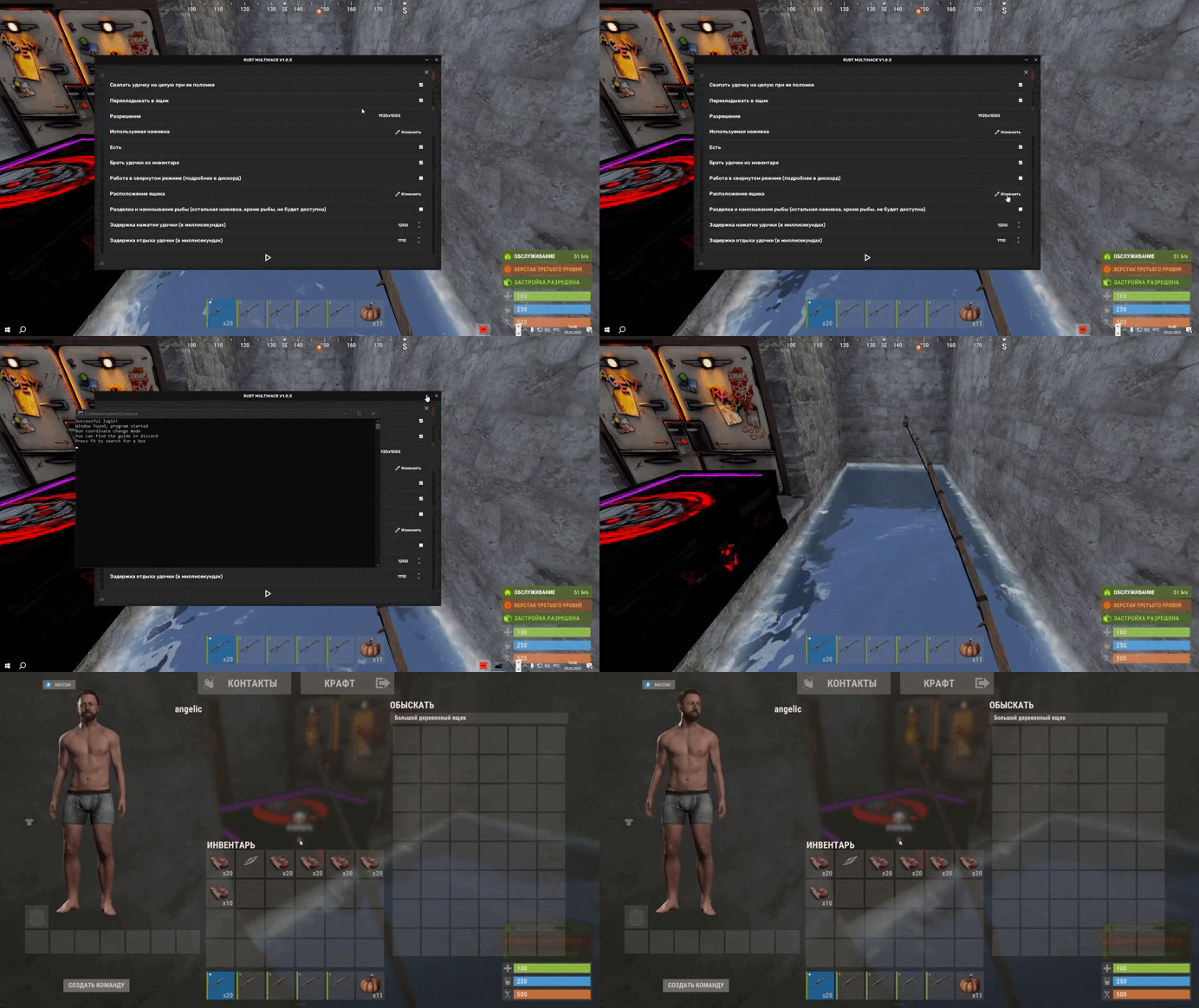
3. Fishing House Setup 🏠
House must be at 3.5 wall depth 📏
VIDEO HOW TO BUILD A HOUSE AT THE BOTTOM OF THE INSTRUCTIONS!
4. Final Setup and Start 🚀
After config: set float to blue in-game, equip rod in slot 1, start bot in loader 🎣
Console appears; after success, in-game press F12 to start (F11 pause, F10 exit) ✅
Mandatory Requirements ✅
- English username and folder names 🇺🇸
- Disabled Nvidia/AMD filters ❌
- Disabled AMD FSR/Nvidia DLSS ❌
- UI scale 1.0 📏
- Windows scaling 100% 🖥️
- Windows Night Light off 🌙❌
- Rods must not be repaired 🎣
- Color blindness mode default (off) 👁️
- Installed .NET 8.0 packages 📦
Troubleshooting 🛠️
No console on bot start 🖥️❌: Install .NET 8.0 📦
ERROR: Window not found 🪟❌: Game not running, launch game 🎮
ERROR: Login is only available through the launcher 🚪❌: Launch only via loader 🔄
ERROR: Server connection error 🌐❌:
- Server maintenance ⏳
- Check connection 📡
- Use VPN 🛡️
ERROR: Launcher-bot bind error, Incorrect account binding, Account not found 🔗❌:
No spoofer: reboot PC
🔄With spoofer: loader → spoofer → Rust → bot 📋
ERROR: Subscription expired, No active subscription, Key not found ⏰❌:
Subscription expired 😔
Unexpected subscription activation error ❓:
Log in to account 👤
Unhandled exception. System.FormatException: 'C:\Users...\AppData\Local\Temp...' 🐛:
Run loader as admin 👨💻
Unhandled exception. System.IndexOutOfRangeException 🐛:
Run loader as admin 👨💻
Bot can't reel fish 🎣❌:
Adjust rod delays: start low, increment 50-100 ⏱️
Bot not baiting 🪱❌:
- Disable minimized mode 🪟❌
- Check requirements ✅
- Disable sharpness, max textures, TSSAA on, vignette off 🎨