
 Discord
 Telegram
Verified buyers only
Only a confirmed buyer can leave a review
 SCP: Secret Laboratory
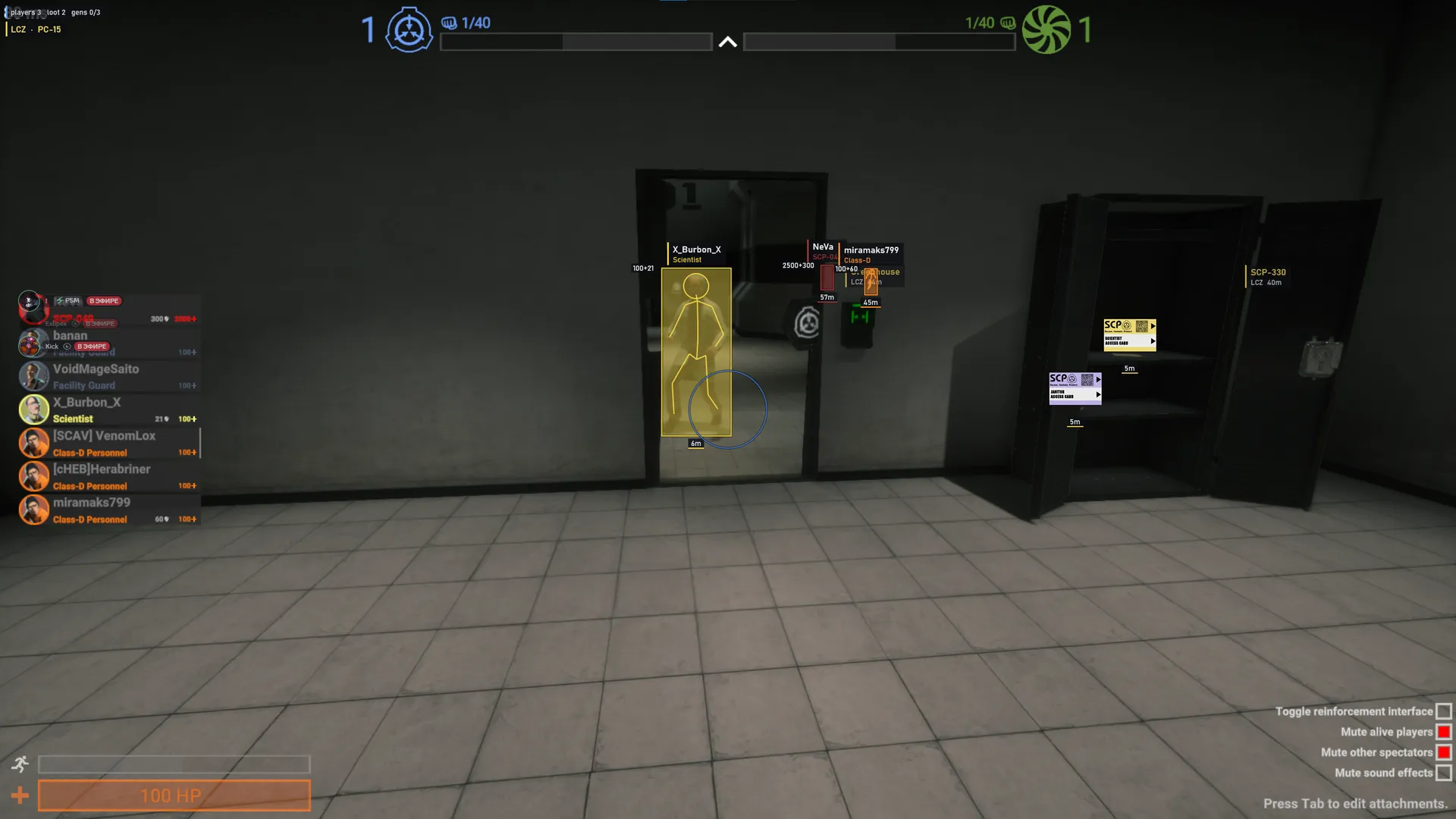
Focus for SCP: Secret Laboratory combines aim assistance with player, item and room markers. Class filters and separate SCP colours help organise the overlay, while saved profiles retain your preferred layout.
Focus for SCP: Secret Laboratory brings aimbot and ESP to the Steam client. Human and SCP aim points are separate, while player visuals can be filtered by class. This suits a role-based layout rather than treating every character as the same kind of marker.
The requirements specify Windows 10 22H2 or Windows 11 25H2, x64 architecture, UEFI and a GPT disk. Intel and AMD are listed, with any graphics card supported. Compatibility from another Focus build should not be carried over to this one.
Rooms, generators and loot use their own distance and colour controls. You can retain facility landmarks while reducing player labels or item categories. Named configs, loading the last config and autosave let you keep a preferred arrangement instead of rebuilding it after each change.
Purchase the product to leave a review
Review integrity
Only a confirmed buyer can leave a review
A moderator checks every review before it goes live
Reviews can’t be ordered or deleted
The author can edit it at any time
Share your impressions after the purchase — it helps other players choose.
Frequently Asked Questions
Select a question from the list on the right to see the answer
Focus for SCP: Secret Laboratory separates aimbot, player roles and facility landmarks. Each section answers a different question: which target to select, which class a character belongs to, or where useful rooms and items are located.
Human and SCP hitboxes have independent choices, with body centre added for SCP targets. A single aim point therefore does not have to serve every model. Selecting by crosshair proximity differs from selecting by distance: one follows screen position, while the other prioritises physical separation.
Target lock retains the chosen target. Skip teammates and Skip SCPs are separate filters, and neither should be confused with class ESP controls. Excluding a character from aiming is a different decision from displaying its label. The FOV circle describes the selection area and the target indicator identifies the current selection; smoothing is independent of those visual controls.
Class filters distinguish Class D, Scientists, Guards, MTF, Chaos, Tutorial and SCPs. Human roles and individual SCP types also have separate colours. Starting with a class label and a clear palette can make roles easier to read than enabling every available label at once. The class accent strip adds another visual cue beside the box.
Full and corner boxes frame the model differently, while fill changes the density inside that frame. Skeletons and head circles provide more detail without replacing names, distance or health. Health bars and numeric health have separate switches, allowing a compact presentation when a precise number is unnecessary. Line thickness, text size and label backgrounds further separate graphics from words.
Room names and the current-room display help organise movement through the facility. LCZ, HCZ, EZ and Surface use their own colours, and generator states have a separate palette. Room label distance is independent of loot range, so landmarks can remain visible over a wider area without filling the scene with item text.
Loot icons, names and distances are independent choices. Category filters separate keycards from weapons, medical supplies and SCP items. When access items are the priority, narrowing the category selection is more useful than scanning every label. Icon size affects readability, while the category filter decides which types are shown.
Named configs retain the selected arrangement. Load last config on startup and autosave are enabled by default, so an experimental change may become the next configuration you load. Autosave timing can be changed; a clearly named profile is easier to recognise than an unnamed temporary setup.
The FPS cap and loot updates per frame are separate from visual styling. They are configurable workload controls, not a promise of a particular frame rate on every PC. Check the stated Windows builds, UEFI, GPT and x64 requirements before tuning them. The SCP: Secret Laboratory catalogue provides a place to compare other options by client and feature group rather than by screenshots alone.