
 Discord
 Telegram
Verified buyers only
Only a confirmed buyer can leave a review
 DayZ
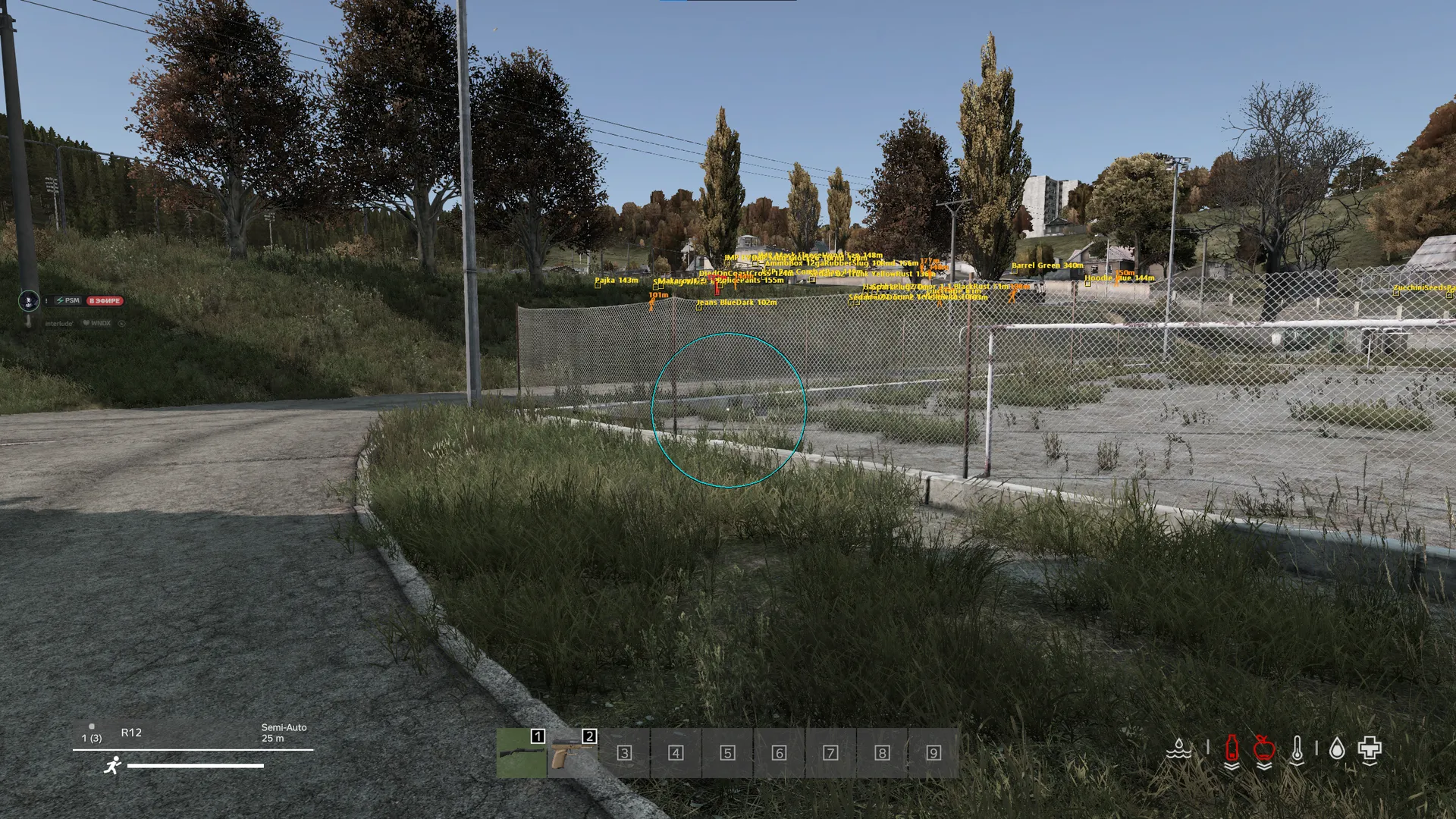
Focus for DayZ on Steam offers an aimbot with separate player and infected targeting, skeleton ESP, names, distance and filters for weapons, medical supplies and other loot. Menu, ESP and aim settings can be saved in .cfg profiles.
Focus DayZ is a Steam cheat with separate player and infected controls.
The listed systems are Windows 10 22H2 or Windows 11 25H2, with x64 architecture, a GPT disk and UEFI firmware mode. AMD and Intel CPUs are supported. Match those requirements to your setup before choosing a key for this build.
Home opens the menu and can be reassigned. Aim assistance uses its own hold key, while player, zombie and loot ESP have separate settings. Other builds in the DayZ catalogue have their own feature lists and requirements; a shared game name does not make their controls interchangeable.
Purchase the product to leave a review
Review integrity
Only a confirmed buyer can leave a review
A moderator checks every review before it goes live
Reviews can’t be ordered or deleted
The author can edit it at any time
Share your impressions after the purchase — it helps other players choose.
Frequently Asked Questions
Select a question from the list on the right to see the answer
Focus DayZ is a Steam cheat with aimbot and separate player, zombie and loot ESP.
The separate controls let you decide which information belongs in a particular layout. Item names and distance matter during a loot search, while a player's position and skeleton answer a different question. You can keep those choices in a config, so returning to a preferred arrangement does not require enabling every available category.
Player ESP displays characters through terrain, buildings and fog. Its 2D boxes follow the player's posture, including crouching and prone movement. Skeleton adds the position of individual body parts, which is useful when a box alone does not explain the pose. Name and distance labels provide identity and range alongside that visual outline.
Numeric remaining health is a separate option. If the screen becomes crowded, you can remove a label while retaining the outline you need. Zombie ESP has its own boxes, skeletons and distance controls, so disabling infected markers does not remove player information. A separate zombie color helps distinguish those markers from the player layout at a glance.
The aimbot runs while its assigned key is held. Head and Chest choose the aim point; player and zombie filters choose the eligible target groups. If you only need one group, the other can be disabled. This separation matters because choosing a body part does not decide whether the target is a player or an infected character.
FOV radius sets the selection area around the crosshair, and targets outside that circle are ignored. Draw FOV circle lets you see the boundary while changing the radius. Smoothing controls movement toward the selected point: zero is instant, while higher values slow it down. In practice, the selection area and the movement speed are different decisions, so adjust them separately before saving a layout.
Loot ESP separates item boxes, names and distance from category filters. Weapons, medical supplies and food can each be enabled independently, as can ammunition and miscellaneous items. When you are looking for healing supplies, hiding unrelated categories reduces the number of labels competing for attention. Item names explain what is marked, and distance helps compare the positions of several useful objects.
The Colors section assigns separate colors to players, skeletons, numeric health, the FOV circle, zombies and loot. That lets you tell groups apart without using one color for every mark on the screen. Color is a presentation setting: it does not replace the item filters or change the target-selection circle. Start with distinct player and loot colors, then add the extra detail your layout needs.
Home opens the menu, and the key can be reassigned. Menu scale controls its size, while themes and a custom accent change its appearance. Resetting the menu restores scale and accent without removing ESP profiles, which is useful if only the interface layout needs correction. Named .cfg profiles can be saved, loaded, overwritten and deleted, and include menu, ESP and aiming settings.
The required client is Steam. Windows 10 22H2 or Windows 11 25H2, x64 architecture, GPT partitioning and UEFI firmware mode are listed alongside AMD and Intel CPU support. Check each condition rather than relying on the CPU brand alone. The DayZ cheat catalogue contains other builds with their own requirements, so compare the client and system first, then the features you need.